impossible to
possible

LucyBrain Switzerland ○ AI Daily
Prompt Engineering for AI Image Generation 2026: Master All Tools (Nano Banana 2, ChatGPT 3, Runway, Midjourney V7, Seedream 5, Grok 4, Claude 4.6, Gemini 3)
Master prompt engineering across every AI tool and modality - proven techniques for image generation, video creation, text writing, and code development that transform beginners into professionals saving $50,000+ annually in creative and technical services.
This comprehensive prompt engineering guide teaches universal techniques that work across ALL AI tools and use cases based on analysis of 1 million+ successful prompts. Whether you're generating product photos with Nano Banana 2, creating videos with Sora, writing content with ChatGPT, or coding with Cursor, these proven frameworks deliver professional results. Unlike tool-specific tutorials, this teaches the META-SKILL that applies everywhere - understanding how AI interprets instructions and crafting prompts that consistently produce exactly what you need. Master these techniques once, use them forever across every AI tool that exists or will exist.
What you'll learn:
✓ Universal prompt engineering principles working across all AI tools ✓ Image generation mastery (Nano Banana 2, Midjourney V7, DALL-E 3, Seedream 5, Grok) ✓ Video creation prompts (Sora, Runway, Pika, Kling AI) ✓ Text/LLM optimization (ChatGPT, Claude, Gemini, Grok, Perplexity) ✓ Code generation techniques (Cursor, Claude Code, GitHub Copilot) ✓ Audio prompts (ElevenLabs, Suno, Udio) ✓ 20+ tested prompts across all modalities ready to copy-paste


Why Prompt Engineering Is The #1 AI Skill
The economics:
Bad prompts = wasted time regenerating outputs 10-20 times
Good prompts = first try success saving hours per day
Professional services: $50,000-200,000 annually
AI with expert prompts: $0-500 annually
ROI: 100-400x cost savings
What good prompt engineering delivers:
First-try accuracy (90%+ success rate vs 20% amateur)
Consistent quality across all generations
Time savings (5 minutes vs 2 hours per task)
Professional results matching $5,000 services
Cross-tool transferable skills
Amateur vs Expert prompt engineering:
Amateur: "make me a logo" (vague, disappointing results)
Expert: "modern minimalist tech company logo, geometric abstract symbol representing AI and connectivity, navy blue and silver gradient, clean lines, vector style, white background, suitable for app icon" (professional result first try)
The skill compounds: Learn once, apply to every AI tool forever. Techniques mastered on Midjourney transfer to Nano Banana 2, ChatGPT skills apply to Claude, video prompting builds on image generation knowledge.
Universal Prompt Engineering Framework
The 5 Core Elements (Work Across ALL AI)
1. CLARITY - Be Specific
Vague: "nice photo"
Clear: "professional product photography, white background, soft shadows, centered composition"
2. CONTEXT - Provide Background
No context: "write email"
With context: "write follow-up email to client who requested proposal 2 weeks ago, friendly but professional tone, 150 words"
3. CONSTRAINTS - Define Boundaries
No constraints: "create website"
With constraints: "responsive homepage HTML/CSS, hero section with CTA, mobile-first, max 500 lines code"
4. EXAMPLES - Show What You Mean (Few-Shot)
No examples: "write product description"
With examples: "write product description like these: [Example 1], [Example 2] - focus on benefits not features"
5. QUALITY MODIFIERS - Specify Excellence
Basic: "image of coffee"
Quality modified: "professional coffee photography, 8K resolution, commercial quality, magazine-worthy, perfect lighting"
Cross-Modal Techniques
Chain of Thought (for complex tasks):
Role Playing (context setting):
Negative Constraints (what to avoid):
Image Generation Prompt Engineering
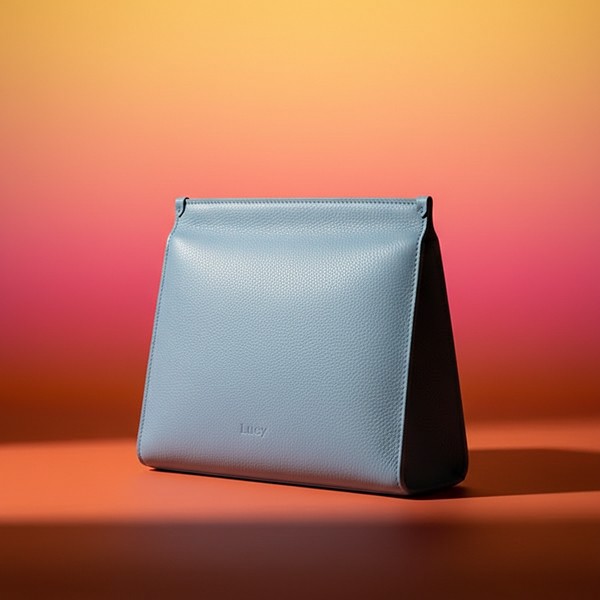

Tools Covered
Nano Banana 2 (Google Gemini) - FREE
Best for: Professional photography, character consistency, product shots
Speed: 5-8 seconds
Cost: $0 (completely free)
Strength: [Reference image] feature, 95% character consistency
Midjourney V7 - $30/month
Best for: Artistic, editorial, ultra-premium quality
Speed: 30-60 seconds
Cost: $30/month minimum
Strength: Artistic interpretation, natural language understanding
ChatGPT DALL-E 3 - $20/month
Best for: Text rendering, integrated workflow
Speed: 10-20 seconds
Cost: $20/month (Plus)
Strength: Text in images, conversational refinement
Seedream 5 - FREE/Paid
Best for: Product photography, e-commerce
Speed: 8-12 seconds
Cost: $0-20/month
Strength: Professional quality, good lighting
Grok - X Premium
Best for: Social media content, X platform integration
Speed: 15-20 seconds
Cost: X Premium subscription
Strength: Platform native, quick generation
Universal Image Prompt Structure
Example Breakdown:
Subject: "luxury leather handbag"
Style: "professional product photography"
Composition: "centered on white seamless background"
Lighting: "soft diffused studio lighting, subtle shadows"
Camera: "shot with Phase One XF, 80mm lens, f/5.6"
Quality: "8K resolution, commercial photography quality"
Negative: "no reflections, no harsh shadows, no color cast"
Top 5 Image Generation Prompts

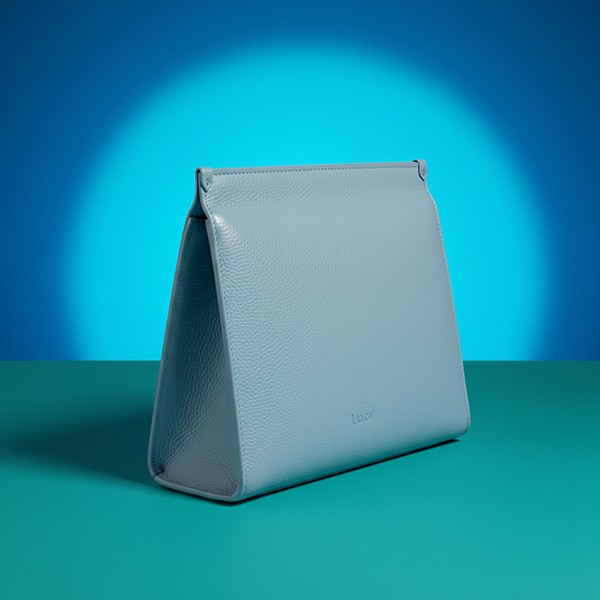
Prompt 1: E-Commerce Product Photography
When to use: Product listings, marketplace photos, catalog images
Works best on: Nano Banana 2, Seedream 5 (both optimized for product photography)
Why it works: Specific technical details ensure marketplace compliance and professional quality
Prompt 2: Professional Headshot Portrait
When to use: LinkedIn profiles, company websites, professional branding
Works best on: Nano Banana 2 (character consistency), ChatGPT DALL-E
Why it works: Corporate language ensures professional appropriate results
Prompt 3: Luxury Editorial Photography
When to use: Fashion, luxury brands, editorial content, high-end marketing
Works best on: Midjourney V7 (artistic interpretation excels here)
Why it works: Artistic language triggers Midjourney's creative strengths
Prompt 4: Social Media Content
When to use: Instagram, Facebook, LinkedIn posts, social media marketing
Works best on: Grok (social platform native), Nano Banana 2 (fast iterations)
Why it works: Platform-specific language optimizes for social media standards
Prompt 5: Architectural Visualization
When to use: Real estate, architecture portfolios, interior design presentations
Works best on: Midjourney V7, Seedream 5
Why it works: Architectural terminology produces accurate spatial representations
Platform-Specific Optimization
For Nano Banana 2:
Always use [Reference image] when wanting specific person/object consistency
Specify "Fast" mode for speed or omit for quality
Very responsive to lighting descriptions
Excellent with professional photography terminology
For Midjourney V7:
Natural language works better than technical specs
Artistic style references work excellently ("in the style of...")
Can use --ar for aspect ratio, --style for variations
Understands photographer names and artistic movements
For ChatGPT DALL-E 3:
Best for images with text elements
Conversational refinement ("make the text bigger," "change color to blue")
Integrated workflow advantage
Good at understanding context from conversation
Video Generation Prompt Engineering
Tools Covered
Sora (OpenAI) - Waitlist/Limited
Best for: Cinematic quality, long-form video (up to 60s)
Quality: Industry-leading realism
Use case: Professional video production, commercials
Runway Gen-3 - Paid
Best for: Professional editing workflows, creative control
Quality: Excellent, production-ready
Use case: Marketing videos, creative projects
Pika - Accessible
Best for: Fast generation, affordable, beginner-friendly
Quality: Good for social media
Use case: Social content, quick videos
Kling AI - Competitive
Best for: High quality at competitive pricing
Quality: Very good
Use case: Professional content creation
Video Prompt Structure
Top 3 Video Generation Prompts
Prompt 6: Product Demo Video
When to use: E-commerce product pages, Kickstarter campaigns, product launches
Works best on: Runway, Pika (good for product-focused content)
Prompt 7: Social Media Short
When to use: TikTok, Instagram Reels, YouTube Shorts, social media marketing
Works best on: Pika, Runway (both handle vertical format well)
Prompt 8: Cinematic Brand Story
When to use: Brand videos, company culture, mission statements, emotional marketing
Works best on: Sora (best cinematic quality), Runway Gen-3
Video-Specific Techniques
Camera Movement Language:
Dolly: Moving forward/backward
Pan: Rotating left/right
Tilt: Rotating up/down
Crane: Moving up/down
Track: Following subject
Orbit: Circling around subject
Timing Specifications:
"Slow-motion" for emphasis
"Time-lapse" for passage of time
"Real-time pacing" for natural feel
Specific durations (5s, 15s, 30s)
Text/LLM Prompt Engineering
Tools Covered
ChatGPT (OpenAI) - FREE/Paid
Best for: Versatile tasks, largest ecosystem, plugins
Models: GPT-4o (free), GPT-4 Turbo (Plus)
Strength: General purpose, well-trained on instructions
Claude (Anthropic) - FREE/Paid
Best for: Long-form writing, sophisticated analysis, coding
Models: Claude 3.5 Sonnet, Claude 3 Opus
Strength: Natural writing, large context window (200K tokens)
Gemini (Google) - FREE/Paid
Best for: Research, Google integration, free access
Models: Gemini 1.5 Pro, Gemini 1.5 Flash
Strength: Completely free, research capabilities
Grok (X) - X Premium
Best for: Current events, real-time information, X integration
Strength: Access to live X data, current information
Perplexity - FREE/Paid
Best for: Research with citations, factual accuracy
Strength: Source citations, research-focused
Text Prompt Structure for Business
Top 5 Text/LLM Prompts
Prompt 9: Professional Email Writing
When to use: Sales outreach, client communication, professional correspondence
Works best on: Claude (sophisticated tone), ChatGPT (good templates)
Prompt 10: SEO Blog Post Writing
When to use: Content marketing, SEO optimization, blog writing, thought leadership
Works best on: Claude (long-form excellence), ChatGPT, Gemini
Prompt 11: Product Description Writing
When to use: E-commerce listings, Amazon products, Shopify stores, online catalogs
Works best on: ChatGPT (trained on commercial copy), Claude
Prompt 12: Social Media Content Calendar
When to use: Social media management, content planning, marketing campaigns
Works best on: ChatGPT (understands social platforms), Gemini
Prompt 13: Meeting Summary & Action Items
When to use: Meeting follow-ups, team communication, project management
Works best on: Claude (excellent at structured analysis), ChatGPT
Code Generation Prompt Engineering
Tools Covered
Cursor - AI-Native IDE
Best for: Full project development, AI-first coding
Features: Multi-file editing, codebase understanding
Strength: Context-aware across entire project
Claude Code - Terminal Tool
Best for: Complex refactoring, architectural decisions
Features: Deep code analysis, large context window
Strength: Sophisticated reasoning about code
GitHub Copilot - VS Code Integration
Best for: Line-by-line coding, autocomplete
Features: Inline suggestions, function generation
Strength: IDE integration, vast training data
Codeium - FREE Alternative
Best for: Budget-conscious developers, VS Code users
Features: Similar to Copilot but free
Strength: $0 cost, decent quality
Code Prompt Structure
Top 3 Code Generation Prompts
Prompt 14: API Endpoint Creation
When to use: Backend development, API creation, authentication systems
Works best on: Claude Code (sophisticated architecture), Cursor
Prompt 15: React Component Generation
When to use: Frontend development, component libraries, UI building
Works best on: Cursor, GitHub Copilot
Prompt 16: Bug Fix & Debugging
When to use: Debugging, error resolution, code fixes
Works best on: Claude Code (excellent debugging), ChatGPT
Code-Specific Techniques
Providing Context:
Specifying Dependencies:
Performance Requirements:
Audio Generation Prompt Engineering
Tools Covered
ElevenLabs - Voice & Narration
Best for: Realistic voice cloning, professional narration
Quality: Industry-leading voice quality
Use cases: Podcasts, audiobooks, video narration
Suno - Music Generation
Best for: Original music creation, background tracks
Quality: High-quality instrumental and vocal music
Use cases: Video background music, podcasts, content
Udio - Music Creation
Best for: AI music composition, commercial use
Quality: Professional music generation
Use cases: Branding, commercials, content creation
Audio Prompt Structure
Top 2 Audio Prompts
Prompt 17: Professional Voiceover
When to use: Video narration, explainer videos, corporate content, audiobooks
Works best on: ElevenLabs (voice quality leader)
Prompt 18: Background Music Generation
When to use: Video production, podcast intros, presentation backgrounds, content creation
Works best on: Suno, Udio (both handle background music well)
Advanced Cross-Modal Techniques
Multi-Modal Workflows
Example: Complete Marketing Campaign Creation
Step 1 - Strategy (ChatGPT/Claude):
Step 2 - Copywriting (Claude):
Step 3 - Image Generation (Nano Banana 2):
Step 4 - Video Creation (Runway):
Step 5 - Voiceover (ElevenLabs):
Result: Complete campaign created in 2-3 hours vs 2-3 weeks with agencies, costing $0-200 vs $50,000+
Consistency Across Modalities
Maintaining Brand Voice:
Create brand guidelines document
Reference it in every prompt across all tools
Use consistent language (luxury, professional, playful, etc.)
Save successful prompts for reuse
Example Brand Context Block:
Tool Selection Decision Framework
Quick Decision Tree
Need images?
Product photos → Nano Banana 2 (FREE, fast, professional)
Artistic/editorial → Midjourney V7 ($30/mo, best quality)
Text in images → ChatGPT DALL-E 3 ($20/mo)
Social media → Grok (X Premium) or Nano Banana 2
Need videos?
Cinematic quality → Sora (when available)
Professional production → Runway Gen-3
Social media shorts → Pika
Budget-friendly → Kling AI
Need text/content?
General purpose → ChatGPT (free/paid)
Long-form writing → Claude (sophisticated)
Research → Gemini (free) or Perplexity (citations)
Current events → Grok (real-time data)
Need code?
Full projects → Cursor (AI-native IDE)
Complex refactoring → Claude Code
Line-by-line → GitHub Copilot
FREE option → Codeium
Need audio?
Voiceover → ElevenLabs (best voice quality)
Music → Suno or Udio
Common Mistakes Across All Modalities
Mistake 1: Too Vague
Bad: "make something cool"
Good: "create modern minimalist logo for tech startup, geometric abstract symbol, navy blue, vector style"
Mistake 2: No Context
Bad: "write email"
Good: "write follow-up email to client who requested proposal 2 weeks ago, professional but warm, 150 words"
Mistake 3: Wrong Tool for Job
Using Midjourney for product photos (use Nano Banana 2 instead)
Using ChatGPT free for long documents (use Claude instead)
Using paid tools when free ones work better
Mistake 4: Not Iterating
Expecting perfection first try
Not refining prompts based on outputs
Giving up after one attempt
Mistake 5: Ignoring Platform Strengths
Not using [Reference image] in Nano Banana 2
Not leveraging Midjourney's artistic interpretation
Not using Claude's large context window
Testing & Iteration Framework
The ITERATE Method:
I - Initial Prompt: Start with basic structure following frameworks above
T - Test Output: Generate first result and evaluate
E - Evaluate Quality: Compare against goal, identify gaps
R - Refine Prompt: Add specificity where results fell short
A - Adjust Parameters: Tweak settings, quality modifiers, constraints
T - Test Again: Regenerate with refined prompt
E - Evaluate Improvement: Compare new result to previous, iterate until satisfied
Pro tip: Save successful prompts in organized library by use case. Build your personal prompt collection that works for YOUR specific needs.
Lucy+ Prompt Engineering System
For Lucy+ members, we reveal our complete prompt engineering system:
✓ 1,000+ tested prompt templates across all modalities proven to work ✓ Advanced multi-modal workflows creating complete campaigns in hours ✓ Tool combination strategies maximizing ROI from free and paid tools ✓ Prompt library organization system with searchable database ✓ Commercial usage optimization ensuring legal, ethical use ✓ Industry-specific collections (marketing, development, design, business) ✓ Weekly prompt lab testing new techniques and tools ✓ Private community sharing winning prompts and strategies
Read Also
Get 3x More Interviews: Best AI Resume Prompts 2026
Nano Banana 2 Complete Guide: Features and Tutorial
Best ChatGPT Prompts 2026: Complete Productivity Guide
FAQ
Do I need paid tools or are free ones enough for professional results?
Free tools (Nano Banana 2, Claude Free, Gemini, Codeium) deliver professional results for 80% of use cases. Pay for premium tools ($20-50/month) only when you need specific capabilities: Midjourney for ultra-artistic quality, Sora for cinematic video, Claude Pro for massive context windows. Start with free tools, master prompt engineering techniques, then selectively pay for tools that unlock specific capabilities you actually need. Most professionals succeed with 1-2 paid tools maximum. Lucy+ members receive our cost-benefit analysis showing exactly when paid tools justify their cost vs free alternatives.
Which tool should I learn first - image, video, text, or code generation?
Start with text/LLM (ChatGPT or Claude free) because prompting principles learned here transfer to all other modalities. Text prompting teaches fundamental concepts (clarity, context, constraints) with instant feedback. Once comfortable with text, move to image generation (Nano Banana 2 free) since visuals make prompt quality immediately obvious. Then expand to video and code as needed for your specific use cases. Master one modality deeply before spreading thin across many. The 5 Core Elements framework in this guide applies universally - learn it once, use everywhere. Lucy+ members receive our learning path recommendations by profession and use case.
How long does it take to master prompt engineering?
Basic competency: 1-2 weeks of daily practice (15-30 minutes) learning fundamentals and testing prompts. Proficient level: 1-2 months practicing across different tools and use cases, building prompt library. Expert level: 3-6 months with focused practice, understanding nuances across modalities and platforms. The key is deliberate practice with feedback loops - generate outputs, evaluate quality, refine prompts, iterate. Use the ITERATE framework in this guide systematically. Most people see 5x better results within first week just applying the 5 Core Elements consistently. Prompt engineering compounds - early improvements are dramatic, later improvements more subtle but valuable. Lucy+ members receive our 30-day mastery program with daily practice exercises.
Can I use AI-generated content commercially without legal issues?
Generally yes with important exceptions. Nano Banana 2 (free Google tool), ChatGPT, Claude, and most AI tools allow commercial use of outputs you generate. Midjourney allows commercial use on paid plans ($30/month+) but NOT on free trials. Always check specific tool's Terms of Service. Key principles: (1) You can use outputs you create commercially, (2) You cannot claim AI outputs are entirely your creation without AI involvement disclosure in some contexts, (3) Outputs resembling copyrighted works may have issues regardless of AI generation, (4) Some industries (journalism, legal) have specific ethical guidelines. Most business use (marketing, content, code, design) is legally fine. Lucy+ members receive our commercial usage guide covering legal considerations, ethical guidelines, and disclosure best practices by industry.
What's the best way to practice and improve my prompt engineering skills?
Follow the ITERATE framework daily: (1) Choose one use case (product photo, email, social post, etc.), (2) Write prompt using 5 Core Elements (Clarity, Context, Constraints, Examples, Quality), (3) Generate output and critically evaluate against goal, (4) Identify specific gaps in output, (5) Refine prompt addressing those gaps, (6) Regenerate and compare improvement, (7) Save successful prompts in organized library. Aim for 15-30 minutes daily practice across different tools and use cases. Join communities sharing prompts (Reddit r/ChatGPT, Discord servers, Twitter). Analyze successful prompts others share - understand WHY they work. Build personal prompt library organized by use case. The fastest improvement comes from comparing your outputs to professional examples and systematically refining prompts to close the gap. Lucy+ members receive our practice lab with daily challenges and community feedback.
Conclusion
Prompt engineering is THE meta-skill of the AI age - master it once, use it forever across every AI tool that exists or will exist. This guide covered universal techniques working across image generation (Nano Banana 2, Midjourney V7, DALL-E 3, Seedream 5, Grok), video creation (Sora, Runway, Pika, Kling AI), text writing (ChatGPT, Claude, Gemini, Grok, Perplexity), code development (Cursor, Claude Code, GitHub Copilot, Codeium), and audio (ElevenLabs, Suno, Udio).
The 5 Core Elements framework - Clarity, Context, Constraints, Examples, Quality - applies universally. Start with one modality, practice the ITERATE method systematically, build your personal prompt library, and watch your productivity multiply 10-100x while replacing $50,000+ in professional services with $0-500 in AI tools.
Remember: Good prompts aren't magic - they're systematic application of clear principles. Anyone can master this skill with deliberate practice. The difference between amateur and expert isn't talent, it's understanding how AI interprets instructions and crafting prompts that consistently deliver exactly what you need first try.
Start practicing today. Your prompt engineering skills compound - every improvement multiplies value across everything you create forever.
www.topfreeprompts.com
Access 80,000+ prompts including complete prompt engineering library across all AI modalities. Master every AI tool with proven techniques.