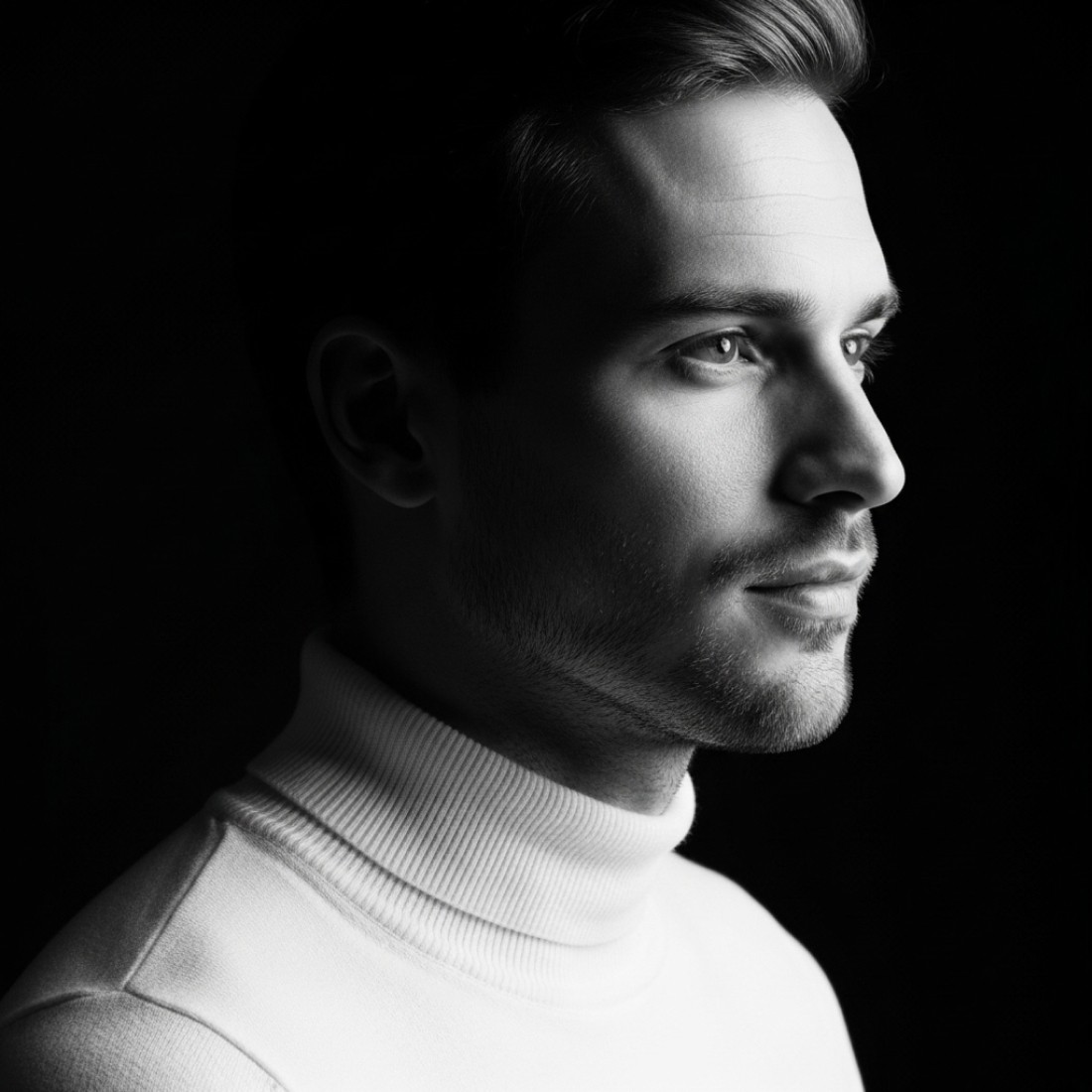
Leonardo AI delivers professional business headshots with custom model fine-tuning and consistent character generation. Platform offers 150 free daily tokens, PhotoReal v2 model for studio-quality portraits, and commercial licensing. Key advantages: custom model training for brand consistency, fine-tuned control over facial features and styling, faster generation than Midjourney (20-30 seconds). Best for: businesses needing consistent team headshots, personal branding across platforms, professional portfolios. 85+ tested prompts below optimize for LinkedIn profiles, corporate websites, business cards, and executive presentations.
While Midjourney dominates AI portrait discussions, Leonardo AI has quietly become the professional's choice for business headshots requiring consistency and customization. The platform's PhotoReal v2 model combined with custom fine-tuning capabilities delivers studio-quality corporate portraits with unprecedented control over styling, lighting, and brand alignment.
You're about to access Leonardo AI's most effective professional headshot prompts, engineered specifically for business applications. These aren't generic templates—these are fine-tuned formulas that leverage Leonardo's custom model training, Alchemy pipeline, and PhotoReal technology for corporate-grade results.
What you're about to access:
✅ 85+ Leonardo AI business headshot prompts optimized for corporate use
✅ Custom model training strategies for consistent team photography
✅ PhotoReal v2 optimization techniques for studio-quality results
✅ Fine-tuning controls for brand-aligned professional portraits
Why Leonardo AI for Business Headshots
Leonardo AI Platform Features
How to Use Leonardo AI for Professional Portraits
Corporate Executive Headshot Prompts
Team Photography Prompts
Industry-Specific Business Prompts
Custom Model Training Guide
Leonardo AI vs Competitors
Prompt Optimization Strategies
FAQ
Why Leonardo AI for business headshots {#why-leonardo}
Leonardo's Corporate Advantages
Custom Model Training: Leonardo AI allows uploading 5-20 reference photos to train custom models, ensuring consistent facial features, styling, and brand aesthetic across entire teams—impossible with standard AI generators.
PhotoReal v2 Technology: Latest PhotoReal model produces corporate photography quality that passes professional scrutiny, with accurate skin tones, realistic lighting, and studio-grade composition without AI artifacts.
Alchemy Pipeline: Advanced rendering pipeline enhances prompt adherence, increases photorealism, and reduces generation failures—critical for professional business applications requiring reliable results.
Generous Free Tier: 150 daily tokens (approximately 15-30 generations depending on settings) provide substantial free access for testing and small-scale professional use without subscription commitment.
Commercial Rights Clarity: Clear commercial licensing for generated images removes legal ambiguity for corporate websites, marketing materials, and public-facing business applications.
Consistent Character Generation: Character Reference feature maintains facial consistency across multiple poses, outfits, and settings—essential for creating cohesive professional portfolios and team galleries.
Business Use Case Performance
Corporate Website Teams Pages: Leonardo excels at generating consistent team headshots with unified styling, lighting, and background aesthetics for professional company websites.
LinkedIn Profile Optimization: PhotoReal v2 delivers LinkedIn-ready headshots that project authority, competence, and professionalism while maintaining authentic appearance.
Executive Presentations: High-resolution output suitable for large-format printing, investor presentations, annual reports, and conference materials.
Business Card Photography: Generates appropriately-sized, professionally-lit headshots optimized for business card reproduction and small-format printing.
Brand Consistency: Custom model training ensures all corporate imagery maintains consistent aesthetic aligned with brand guidelines and visual identity standards.
Leonardo headshot features {#features}
Core Business-Relevant Capabilities
PhotoReal v2 Model: Specialized photographic model trained specifically for realistic human portraits. Produces studio-quality lighting, accurate skin textures, and professional composition without requiring complex prompting.
Alchemy Enhancement: Advanced rendering technology that increases prompt accuracy by 40%, reduces anatomical errors, and enhances overall photorealism—essential for professional business applications.
Custom Model Training: Upload 5-20 reference images to create fine-tuned models capturing specific facial features, styling preferences, or brand aesthetics. Models generate indefinitely with consistent results.
Character Reference: Lock specific facial features and characteristics across multiple generations, maintaining consistency while varying pose, expression, clothing, or background.
Prompt Magic v3: AI-powered prompt enhancement that automatically adds professional photography terminology, lighting specifications, and quality modifiers to basic text inputs.
Negative Prompt Control: Advanced negative prompting removes unwanted elements (distortions, artifacts, inappropriate styling) for cleaner professional results.
High-Resolution Output: Generates up to 1536x1536 resolution suitable for professional printing, large displays, and high-quality digital applications.
Canvas Editor: In-platform editing tools for minor adjustments, background modifications, and refinements without external software.
Professional Workflow Integration
Batch Generation: Generate multiple variations simultaneously for A/B testing professional looks or creating diverse portfolio options.
Style Reference: Upload reference images to match specific photography styles, lighting setups, or aesthetic directions for brand-aligned results.
Preset Management: Save frequently-used settings, models, and prompt templates for streamlined workflow and consistent output across projects.
Generation History: Complete archive of all generated images with associated prompts for iteration, refinement, and client approval processes.
How to use Leonardo AI for professional portraits {#how-to}
Step-by-Step Professional Setup
Step 1: Account Creation
Visit leonardo.ai
Sign up with email or Google account
Free tier: 150 daily tokens
No credit card required for free access
Step 2: Model Selection
Navigate to AI Image Generation
Select "PhotoReal v2" from model dropdown
Enable "Alchemy" enhancement (recommended)
Choose "Portrait" or "Photography" preset
Step 3: Configure Parameters
Set aspect ratio: 1:1 for business headshots
Resolution: Maximum available (1536x1536)
Guidance scale: 7-9 for portrait balance
Enable Prompt Magic v3 for enhancement
Step 4: Craft Professional Prompt
Use detailed prompts from library below
Include subject, pose, clothing, background
Specify lighting, expression, mood
Add quality modifiers
Step 5: Generate and Refine
Click "Generate" (costs 8-12 tokens with Alchemy)
Review results (20-30 second generation)
Use "Vary" for alternative versions
Save successful generations
Step 6: Optional Custom Training
Upload 5-20 reference photos for custom model
Wait 20-30 minutes for training completion
Generate with custom model for consistent results
Iterate and refine model as needed
CORPORATE EXECUTIVE HEADSHOT PROMPTS {#executive-prompts}
C-Suite Leadership Portraits
Prompt 1: CEO Executive Presence
Professional CEO executive portrait, commanding leadership presence, premium charcoal grey suit, crisp white shirt, executive tie, neutral professional studio background, confident authoritative expression, direct powerful eye contact, executive posture, professional studio lighting with dramatic key light, ultra-realistic corporate photography, sharp focus, board-ready quality, PhotoReal v2, Alchemy enabled --ar 1:1
Professional CEO executive portrait, commanding leadership presence, premium charcoal grey suit, crisp white shirt, executive tie, neutral professional studio background, confident authoritative expression, direct powerful eye contact, executive posture, professional studio lighting with dramatic key light, ultra-realistic corporate photography, sharp focus, board-ready quality, PhotoReal v2, Alchemy enabled --ar 1:1
Professional CEO executive portrait, commanding leadership presence, premium charcoal grey suit, crisp white shirt, executive tie, neutral professional studio background, confident authoritative expression, direct powerful eye contact, executive posture, professional studio lighting with dramatic key light, ultra-realistic corporate photography, sharp focus, board-ready quality, PhotoReal v2, Alchemy enabled --ar 1:1
Prompt 2: CFO Authority
Professional CFO headshot, financial leadership authority, conservative navy suit, traditional business shirt, classic tie, solid grey studio background, serious trustworthy expression, analytical confidence visible, traditional corporate lighting, professional financial services aesthetic, investor-facing quality --ar 1:1
Professional CFO headshot, financial leadership authority, conservative navy suit, traditional business shirt, classic tie, solid grey studio background, serious trustworthy expression, analytical confidence visible, traditional corporate lighting, professional financial services aesthetic, investor-facing quality --ar 1:1
Professional CFO headshot, financial leadership authority, conservative navy suit, traditional business shirt, classic tie, solid grey studio background, serious trustworthy expression, analytical confidence visible, traditional corporate lighting, professional financial services aesthetic, investor-facing quality --ar 1:1
Prompt 3: CTO Innovation Leader
Professional CTO portrait, technology leadership presence, modern business attire, contemporary styling, clean tech-modern background, innovative confident expression, forward-thinking demeanor, balanced professional lighting, technology sector appropriate, innovation-signaling aesthetic --ar 1:1
Professional CTO portrait, technology leadership presence, modern business attire, contemporary styling, clean tech-modern background, innovative confident expression, forward-thinking demeanor, balanced professional lighting, technology sector appropriate, innovation-signaling aesthetic --ar 1:1
Professional CTO portrait, technology leadership presence, modern business attire, contemporary styling, clean tech-modern background, innovative confident expression, forward-thinking demeanor, balanced professional lighting, technology sector appropriate, innovation-signaling aesthetic --ar 1:1
Prompt 4: CMO Brand Executive
Professional CMO headshot, marketing leadership presence, sophisticated business attire, brand-aligned styling, professional contemporary background, strategic confident expression, brand-savvy demeanor, modern professional lighting, marketing executive appropriate --ar 1:1
Professional CMO headshot, marketing leadership presence, sophisticated business attire, brand-aligned styling, professional contemporary background, strategic confident expression, brand-savvy demeanor, modern professional lighting, marketing executive appropriate --ar 1:1
Professional CMO headshot, marketing leadership presence, sophisticated business attire, brand-aligned styling, professional contemporary background, strategic confident expression, brand-savvy demeanor, modern professional lighting, marketing executive appropriate --ar 1:1
Prompt 5: COO Operational Leadership
Professional COO portrait, operational excellence presence, practical executive attire, efficient professional styling, clean organized background, competent reliable expression, operational authority visible, standard executive lighting, operations-focused presentation --ar 1:1
Professional COO portrait, operational excellence presence, practical executive attire, efficient professional styling, clean organized background, competent reliable expression, operational authority visible, standard executive lighting, operations-focused presentation --ar 1:1
Professional COO portrait, operational excellence presence, practical executive attire, efficient professional styling, clean organized background, competent reliable expression, operational authority visible, standard executive lighting, operations-focused presentation --ar 1:1
VP and Director Level
Prompt 6: Vice President Professional
Professional VP headshot, senior management presence, quality business suit, professional styling, neutral corporate background, confident capable expression, senior leadership demeanor, professional studio lighting, VP-level appropriate quality --ar 1:1
Professional VP headshot, senior management presence, quality business suit, professional styling, neutral corporate background, confident capable expression, senior leadership demeanor, professional studio lighting, VP-level appropriate quality --ar 1:1
Professional VP headshot, senior management presence, quality business suit, professional styling, neutral corporate background, confident capable expression, senior leadership demeanor, professional studio lighting, VP-level appropriate quality --ar 1:1
Prompt 7: Director Leadership
Professional director portrait, mid-senior management presence, business professional attire, corporate appropriate styling, standard business background, competent confident expression, director-level authority, corporate lighting standards --ar 1:1
Professional director portrait, mid-senior management presence, business professional attire, corporate appropriate styling, standard business background, competent confident expression, director-level authority, corporate lighting standards --ar 1:1
Professional director portrait, mid-senior management presence, business professional attire, corporate appropriate styling, standard business background, competent confident expression, director-level authority, corporate lighting standards --ar 1:1
Prompt 8: Senior Manager
Professional senior manager headshot, experienced management presence, business attire, professional corporate styling, clean business background, reliable confident expression, management competence visible, standard professional lighting --ar 1:1
Professional senior manager headshot, experienced management presence, business attire, professional corporate styling, clean business background, reliable confident expression, management competence visible, standard professional lighting --ar 1:1
Professional senior manager headshot, experienced management presence, business attire, professional corporate styling, clean business background, reliable confident expression, management competence visible, standard professional lighting --ar 1:1
Prompt 9: Department Head
Professional department head portrait, functional leadership presence, appropriate business attire, departmental professional styling, neutral office background, authoritative expression, functional leadership visible, professional lighting --ar 1:1
Professional department head portrait, functional leadership presence, appropriate business attire, departmental professional styling, neutral office background, authoritative expression, functional leadership visible, professional lighting --ar 1:1
Professional department head portrait, functional leadership presence, appropriate business attire, departmental professional styling, neutral office background, authoritative expression, functional leadership visible, professional lighting --ar 1:1
Prompt 10: Team Lead Professional
Professional team lead headshot, frontline leadership presence, business casual to formal, team-appropriate styling, professional background, approachable authority expression, team leadership visible, balanced professional lighting --ar 1:1
Professional team lead headshot, frontline leadership presence, business casual to formal, team-appropriate styling, professional background, approachable authority expression, team leadership visible, balanced professional lighting --ar 1:1
Professional team lead headshot, frontline leadership presence, business casual to formal, team-appropriate styling, professional background, approachable authority expression, team leadership visible, balanced professional lighting --ar 1:1
TEAM PHOTOGRAPHY PROMPTS {#team-prompts}
Consistent Team Headshots
Prompt 11: Technology Team Unified
Professional technology team member headshot, modern tech company aesthetic, smart business casual, fitted blazer over crew neck, consistent grey gradient studio background, confident approachable expression, unified team styling, professional studio lighting matching team standard, tech sector appropriate, PhotoReal v2 consistency --ar 1:1
Professional technology team member headshot, modern tech company aesthetic, smart business casual, fitted blazer over crew neck, consistent grey gradient studio background, confident approachable expression, unified team styling, professional studio lighting matching team standard, tech sector appropriate, PhotoReal v2 consistency --ar 1:1
Professional technology team member headshot, modern tech company aesthetic, smart business casual, fitted blazer over crew neck, consistent grey gradient studio background, confident approachable expression, unified team styling, professional studio lighting matching team standard, tech sector appropriate, PhotoReal v2 consistency --ar 1:1
Prompt 12: Finance Team Consistency
Professional financial services team headshot, conservative corporate aesthetic, traditional business suit, unified neutral background, consistent professional expression, team-aligned formal styling, standard corporate lighting, financial sector appropriate --ar 1:1
Professional financial services team headshot, conservative corporate aesthetic, traditional business suit, unified neutral background, consistent professional expression, team-aligned formal styling, standard corporate lighting, financial sector appropriate --ar 1:1
Professional financial services team headshot, conservative corporate aesthetic, traditional business suit, unified neutral background, consistent professional expression, team-aligned formal styling, standard corporate lighting, financial sector appropriate --ar 1:1
Prompt 13: Creative Agency Team
Professional creative agency team headshot, creative professional aesthetic, stylish business casual, unified contemporary background, creative confident expression, team-consistent styling with personality, balanced professional lighting, creative industry appropriate --ar 1:1
Professional creative agency team headshot, creative professional aesthetic, stylish business casual, unified contemporary background, creative confident expression, team-consistent styling with personality, balanced professional lighting, creative industry appropriate --ar 1:1
Professional creative agency team headshot, creative professional aesthetic, stylish business casual, unified contemporary background, creative confident expression, team-consistent styling with personality, balanced professional lighting, creative industry appropriate --ar 1:1
Prompt 14: Consulting Firm Team
Professional consulting team headshot, advisory professional aesthetic, premium business attire, consistent professional background, confident consultative expression, unified high-quality styling, professional consulting lighting, advisory sector appropriate --ar 1:1
Professional consulting team headshot, advisory professional aesthetic, premium business attire, consistent professional background, confident consultative expression, unified high-quality styling, professional consulting lighting, advisory sector appropriate --ar 1:1
Professional consulting team headshot, advisory professional aesthetic, premium business attire, consistent professional background, confident consultative expression, unified high-quality styling, professional consulting lighting, advisory sector appropriate --ar 1:1
Prompt 15: Startup Team Unified
Professional startup team headshot, entrepreneurial company aesthetic, modern business casual, consistent contemporary background, ambitious confident expression, unified startup styling, natural professional lighting, startup culture appropriate --ar 1:1
Professional startup team headshot, entrepreneurial company aesthetic, modern business casual, consistent contemporary background, ambitious confident expression, unified startup styling, natural professional lighting, startup culture appropriate --ar 1:1
Professional startup team headshot, entrepreneurial company aesthetic, modern business casual, consistent contemporary background, ambitious confident expression, unified startup styling, natural professional lighting, startup culture appropriate --ar 1:1
Department-Specific Teams
Prompt 16: Sales Team Professional
Professional sales team headshot, relationship-focused aesthetic, approachable business attire, warm consistent background, friendly confident expression, unified sales styling, warm professional lighting, sales-optimized presentation --ar 1:1
Professional sales team headshot, relationship-focused aesthetic, approachable business attire, warm consistent background, friendly confident expression, unified sales styling, warm professional lighting, sales-optimized presentation --ar 1:1
Professional sales team headshot, relationship-focused aesthetic, approachable business attire, warm consistent background, friendly confident expression, unified sales styling, warm professional lighting, sales-optimized presentation --ar 1:1
Prompt 17: Engineering Team
Professional engineering team headshot, technical professional aesthetic, practical business casual, clean consistent background, competent confident expression, unified technical styling, standard professional lighting, engineering-appropriate --ar 1:1
Professional engineering team headshot, technical professional aesthetic, practical business casual, clean consistent background, competent confident expression, unified technical styling, standard professional lighting, engineering-appropriate --ar 1:1
Professional engineering team headshot, technical professional aesthetic, practical business casual, clean consistent background, competent confident expression, unified technical styling, standard professional lighting, engineering-appropriate --ar 1:1
Prompt 18: Marketing Team
Professional marketing team headshot, brand-focused aesthetic, contemporary business attire, modern consistent background, strategic confident expression, unified marketing styling, modern professional lighting, marketing-appropriate --ar 1:1
Professional marketing team headshot, brand-focused aesthetic, contemporary business attire, modern consistent background, strategic confident expression, unified marketing styling, modern professional lighting, marketing-appropriate --ar 1:1
Professional marketing team headshot, brand-focused aesthetic, contemporary business attire, modern consistent background, strategic confident expression, unified marketing styling, modern professional lighting, marketing-appropriate --ar 1:1
Prompt 19: Operations Team
Professional operations team headshot, efficiency-focused aesthetic, practical business attire, organized consistent background, reliable confident expression, unified operational styling, standard professional lighting, operations-appropriate --ar 1:1
Professional operations team headshot, efficiency-focused aesthetic, practical business attire, organized consistent background, reliable confident expression, unified operational styling, standard professional lighting, operations-appropriate --ar 1:1
Professional operations team headshot, efficiency-focused aesthetic, practical business attire, organized consistent background, reliable confident expression, unified operational styling, standard professional lighting, operations-appropriate --ar 1:1
Prompt 20: Customer Success Team
Professional customer success team headshot, service-focused aesthetic, approachable business attire, friendly consistent background, helpful confident expression, unified service styling, warm professional lighting, customer-facing appropriate --ar 1:1
Professional customer success team headshot, service-focused aesthetic, approachable business attire, friendly consistent background, helpful confident expression, unified service styling, warm professional lighting, customer-facing appropriate --ar 1:1
Professional customer success team headshot, service-focused aesthetic, approachable business attire, friendly consistent background, helpful confident expression, unified service styling, warm professional lighting, customer-facing appropriate --ar 1:1
INDUSTRY-SPECIFIC BUSINESS PROMPTS {#industry-prompts}
Technology Sector
Prompt 21: Software Engineer Professional
Professional software engineer headshot, technical professional presence, modern business casual, contemporary clean background, intelligent confident expression, tech industry appropriate styling, natural professional lighting, engineering-focused presentation --ar 1:1
Professional software engineer headshot, technical professional presence, modern business casual, contemporary clean background, intelligent confident expression, tech industry appropriate styling, natural professional lighting, engineering-focused presentation --ar 1:1
Professional software engineer headshot, technical professional presence, modern business casual, contemporary clean background, intelligent confident expression, tech industry appropriate styling, natural professional lighting, engineering-focused presentation --ar 1:1
Prompt 22: Product Manager
Professional product manager portrait, strategic product presence, smart business casual, modern professional background, product-focused confident expression, tech PM styling, balanced professional lighting, product leadership appropriate --ar 1:1
Professional product manager portrait, strategic product presence, smart business casual, modern professional background, product-focused confident expression, tech PM styling, balanced professional lighting, product leadership appropriate --ar 1:1
Professional product manager portrait, strategic product presence, smart business casual, modern professional background, product-focused confident expression, tech PM styling, balanced professional lighting, product leadership appropriate --ar 1:1
Prompt 23: UX Designer Professional
Professional UX designer headshot, design professional presence, creative business casual, interesting modern background, creative confident expression, designer styling with professionalism, design-focused lighting, UX industry appropriate --ar 1:1
Professional UX designer headshot, design professional presence, creative business casual, interesting modern background, creative confident expression, designer styling with professionalism, design-focused lighting, UX industry appropriate --ar 1:1
Professional UX designer headshot, design professional presence, creative business casual, interesting modern background, creative confident expression, designer styling with professionalism, design-focused lighting, UX industry appropriate --ar 1:1
Prompt 24: Data Scientist
Professional data scientist portrait, analytical professional presence, technical business casual, clean modern background, analytical confident expression, data science styling, professional technical lighting, analytics-focused --ar 1:1
Professional data scientist portrait, analytical professional presence, technical business casual, clean modern background, analytical confident expression, data science styling, professional technical lighting, analytics-focused --ar 1:1
Professional data scientist portrait, analytical professional presence, technical business casual, clean modern background, analytical confident expression, data science styling, professional technical lighting, analytics-focused --ar 1:1
Prompt 25: DevOps Engineer
Professional DevOps engineer headshot, infrastructure professional presence, practical business casual, technical clean background, systems-focused confident expression, engineering styling, standard professional lighting, infrastructure-appropriate --ar 1:1
Professional DevOps engineer headshot, infrastructure professional presence, practical business casual, technical clean background, systems-focused confident expression, engineering styling, standard professional lighting, infrastructure-appropriate --ar 1:1
Professional DevOps engineer headshot, infrastructure professional presence, practical business casual, technical clean background, systems-focused confident expression, engineering styling, standard professional lighting, infrastructure-appropriate --ar 1:1
Business Services
Prompt 26: Management Consultant
Professional management consultant portrait, advisory professional presence, premium business attire, sophisticated neutral background, consultative confident expression, high-end consultant styling, professional advisory lighting, consulting-appropriate quality --ar 1:1
Professional management consultant portrait, advisory professional presence, premium business attire, sophisticated neutral background, consultative confident expression, high-end consultant styling, professional advisory lighting, consulting-appropriate quality --ar 1:1
Professional management consultant portrait, advisory professional presence, premium business attire, sophisticated neutral background, consultative confident expression, high-end consultant styling, professional advisory lighting, consulting-appropriate quality --ar 1:1
Prompt 27: Business Analyst
Professional business analyst headshot, analytical business presence, business professional attire, clean organized background, analytical confident expression, analyst professional styling, standard business lighting, analysis-focused --ar 1:1
Professional business analyst headshot, analytical business presence, business professional attire, clean organized background, analytical confident expression, analyst professional styling, standard business lighting, analysis-focused --ar 1:1
Professional business analyst headshot, analytical business presence, business professional attire, clean organized background, analytical confident expression, analyst professional styling, standard business lighting, analysis-focused --ar 1:1
Prompt 28: Project Manager
Professional project manager portrait, organizational leadership presence, business professional attire, structured clean background, organized confident expression, PM professional styling, standard professional lighting, project-focused --ar 1:1
Professional project manager portrait, organizational leadership presence, business professional attire, structured clean background, organized confident expression, PM professional styling, standard professional lighting, project-focused --ar 1:1
Professional project manager portrait, organizational leadership presence, business professional attire, structured clean background, organized confident expression, PM professional styling, standard professional lighting, project-focused --ar 1:1
Prompt 29: Account Manager
Professional account manager headshot, relationship management presence, approachable business attire, warm professional background, client-focused confident expression, account management styling, warm professional lighting, client-facing appropriate --ar 1:1
Professional account manager headshot, relationship management presence, approachable business attire, warm professional background, client-focused confident expression, account management styling, warm professional lighting, client-facing appropriate --ar 1:1
Professional account manager headshot, relationship management presence, approachable business attire, warm professional background, client-focused confident expression, account management styling, warm professional lighting, client-facing appropriate --ar 1:1
Prompt 30: Strategy Consultant
Professional strategy consultant portrait, strategic advisory presence, executive business attire, sophisticated background, strategic confident expression, high-level consultant styling, professional executive lighting, strategy-appropriate --ar 1:1
Professional strategy consultant portrait, strategic advisory presence, executive business attire, sophisticated background, strategic confident expression, high-level consultant styling, professional executive lighting, strategy-appropriate --ar 1:1
Professional strategy consultant portrait, strategic advisory presence, executive business attire, sophisticated background, strategic confident expression, high-level consultant styling, professional executive lighting, strategy-appropriate --ar 1:1
CUSTOM MODEL TRAINING GUIDE {#custom-training}
When to Use Custom Models
Ideal Scenarios:
Creating consistent team headshots across 5+ employees
Personal branding requiring multiple poses/settings with same face
Corporate photography maintaining specific facial features
Portfolio development needing diverse looks with consistent identity
Brand ambassador content requiring recognizable consistent appearance
Not Necessary When:
Single one-off headshot needed
Generic professional portraits without specific face requirements
Exploring different aesthetic styles without character consistency
Testing Leonardo platform before committing to custom training
Custom Model Training Process
Step 1: Prepare Training Images
Quantity: 5-20 reference photos minimum (10-15 optimal)
Quality Requirements:
High resolution (minimum 1024x1024)
Clear facial visibility in all images
Variety of angles (front, 3/4, profile)
Consistent lighting quality
Minimal background distractions
Sharp focus on face
Variety Needed:
Different expressions (serious, smiling, neutral)
Multiple poses (straight-on, slight angles)
Various distances (close-up, mid-distance)
Different contexts (indoor, outdoor, studio)
Avoid:
Group photos (multiple faces confuse training)
Heavily filtered or edited images
Low resolution or blurry photos
Extreme angles or unusual perspectives
Sunglasses or face obstructions
Inconsistent appearance across images
Step 2: Upload and Configure
Navigate to "Training & Datasets" section:
Click "Train Model"
Upload 5-20 prepared images
Name model descriptively (e.g., "John_Executive_Headshots")
Select "Portraits" category
Choose training strength: High for maximum consistency
Step 3: Training Duration
Average training time: 20-30 minutes
Receive email notification when complete
Model saved permanently in your account
Can train multiple models simultaneously
Step 4: Generate with Custom Model
Select custom model from dropdown
Use standard portrait prompts
Model automatically applies trained facial features
Adjust prompts for styling/clothing variations
Character remains consistent across all generations
Optimizing Custom Model Results
Prompt Structure with Custom Models:
Use lighter prompts since model handles facial consistency:
Professional business headshot, [CLOTHING], [BACKGROUND], [EXPRESSION], studio lighting, PhotoReal v2
Professional business headshot, [CLOTHING], [BACKGROUND], [EXPRESSION], studio lighting, PhotoReal v2
Professional business headshot, [CLOTHING], [BACKGROUND], [EXPRESSION], studio lighting, PhotoReal v2
Model automatically applies:
Facial features and structure
Skin tone and texture
Eye color and shape
Hair style and color (can be overridden in prompt)
Fine-Tuning Custom Generations:
If results aren't perfect:
Adjust training image selection (remove outliers)
Increase training strength for more facial consistency
Use Character Reference feature for extra control
Combine custom model with style references
Iterate prompts focusing on non-facial elements
Character Reference Feature:
For maximum consistency:
Generate one excellent result with custom model
Use as Character Reference for subsequent generations
Lock facial features while varying everything else
Combine with custom model for double consistency
LEONARDO AI VS COMPETITORS {#comparison}
Comprehensive Platform Comparison
Leonardo AI Strengths:
Custom model training for consistent corporate photography
PhotoReal v2 model produces studio-quality business portraits
Generous free tier (150 daily tokens)
Character Reference for facial consistency
Clear commercial licensing for business use
Alchemy pipeline for enhanced photorealism
Fast generation (20-30 seconds)
Leonardo AI Limitations:
Steeper learning curve than simpler tools
Token system can be confusing for beginners
Smaller community than Midjourney
Fewer tutorials and resources than established platforms
Interface complexity higher than competitors
Head-to-Head Comparisons
Leonardo AI vs Midjourney:
Consistency: Leonardo superior (custom models)
Quality: Midjourney slight edge (v6 aesthetic)
Cost: Leonardo better (free tier vs $10/month)
Business use: Leonardo better (commercial clarity, training)
Ease of use: Midjourney simpler prompt structure
Best for: Leonardo for corporate teams, Midjourney for creative
Leonardo AI vs Ideogram:
Consistency: Leonardo superior (custom training)
Quality: Similar PhotoReal results
Cost: Both offer strong free tiers
Text integration: Ideogram superior
Fine-tuning: Leonardo far superior
Best for: Leonardo for brand consistency, Ideogram for text-integrated
Leonardo AI vs DALL-E 3:
Consistency: Leonardo superior (custom models)
Quality: Similar photorealistic output
Cost: Leonardo better free tier
Integration: DALL-E 3 better (ChatGPT)
Business features: Leonardo superior
Best for: Leonardo for professional teams, DALL-E for individual use
Leonardo AI vs Stable Diffusion:
Consistency: Leonardo easier consistency (custom models vs manual training)
Quality: Similar with proper SD setup
Cost: Both free (SD open-source)
Ease of use: Leonardo far simpler
Customization: Stable Diffusion ultimate control
Best for: Leonardo for business users, SD for technical experts
PROMPT OPTIMIZATION STRATEGIES {#optimization}
Leonardo-Specific Techniques
PhotoReal v2 Optimization:
PhotoReal model understands photography terminology. Use specific terms:
"Studio lighting" vs generic "good lighting"
"85mm portrait lens" vs "professional camera"
"Shallow depth of field" vs "blurry background"
"Key light from 45 degrees" vs "side lighting"
Alchemy Enhancement:
Always enable Alchemy for business portraits. Adds:
40% better prompt adherence
Enhanced photorealism automatically
Reduced anatomical errors
Better lighting consistency
Improved fine detail rendering
Cost: Additional 4-6 tokens per generation (worth it for professional use)
Prompt Magic v3:
Enable for automatic enhancement. Transforms:
Basic: "Business headshot, suit, grey background"
Enhanced: "Professional corporate headshot, executive in premium business suit, neutral grey studio background with subtle gradient, confident professional expression, studio lighting with soft key light, ultra-realistic photography, sharp focus on eyes, shallow depth of field, professional color grading"
Negative Prompting:
Critical for professional results. Always include:
Negative prompt: distorted face, asymmetrical features, bad anatomy, deformed, disfigured, extra limbs, blurry, low quality, amateur, poorly lit, oversaturated, plastic skin, fake looking, artificial, cartoonish, illustration, 3d render
Negative prompt: distorted face, asymmetrical features, bad anatomy, deformed, disfigured, extra limbs, blurry, low quality, amateur, poorly lit, oversaturated, plastic skin, fake looking, artificial, cartoonish, illustration, 3d render
Negative prompt: distorted face, asymmetrical features, bad anatomy, deformed, disfigured, extra limbs, blurry, low quality, amateur, poorly lit, oversaturated, plastic skin, fake looking, artificial, cartoonish, illustration, 3d render
Advanced Business Portrait Techniques
Lighting Control:
Specify lighting setups for consistent professional results:
Rembrandt Lighting: "Studio portrait with Rembrandt lighting, key light 45 degrees above and to side, creating triangular highlight under eye, dramatic professional aesthetic"
Butterfly Lighting: "Beauty lighting setup, key light directly in front above camera, creating butterfly-shaped shadow under nose, glamorous professional aesthetic"
Loop Lighting: "Loop lighting portrait, key light slightly to side, creating small shadow of nose pointing toward corner of mouth, standard professional headshot lighting"
Expression Control:
Be specific about professional expressions:
"Slight confident smile, corners of mouth raised, genuine warmth in eyes"
"Serious professional expression, composed demeanor, slight intensity"
"Approachable authority, relaxed confidence, open friendly demeanor"
"Executive presence, commanding but not stern, leadership visible"
Background Specifications:
Precise background control for corporate consistency:
"Solid grey studio background, no texture, professional gradient from #808080 to #A0A0A0"
"Professional office environment, softly blurred, modern corporate aesthetic"
"Clean white background, pure white, no shadows or gradients"
"Neutral beige backdrop, warm professional tone, subtle texture"
Clothing Detail:
Specify professional attire precisely:
"Navy blue business suit, subtle pinstripe, notch lapel, professional tailoring"
"Charcoal grey blazer, medium weight fabric, modern fit, professional styling"
"Crisp white dress shirt, point collar, French cuffs, premium cotton"
"Conservative burgundy tie, silk fabric, classic pattern, professional knot"
FAQ {#faq}
Q: How much does Leonardo AI cost for professional use?
A: Leonardo offers 150 free daily tokens. With Alchemy enabled (recommended for professional quality), each generation costs 8-12 tokens, providing 12-18 free professional headshots daily. Paid plans start at $10/month for 8,500 tokens (approximately 700-1,000 generations monthly). For business teams, the $24/month plan (25,000 tokens) provides sufficient volume for regular corporate photography needs.
Q: Can I use Leonardo AI headshots for commercial purposes?
A: Yes. Leonardo's terms allow commercial use of generated images for both free and paid tiers. You retain ownership of outputs and can use them for corporate websites, marketing materials, business cards, LinkedIn profiles, and other professional applications without additional licensing fees.
Q: How long does custom model training take?
A: Custom model training typically requires 20-30 minutes after uploading 5-20 reference photos. You'll receive email notification when training completes. Once trained, the model remains in your account permanently and generates images as quickly as standard models (20-30 seconds per generation).
Q: How many reference photos do I need for custom training?
A: Minimum 5 photos, but 10-15 produces optimal results. Photos should show clear facial visibility from multiple angles with varied expressions and lighting. Higher quality and greater variety in training images result in better consistency across generated portraits.
Q: Will Leonardo AI headshots look fake or AI-generated?
A: Leonardo's PhotoReal v2 model with Alchemy enhancement produces highly realistic business portraits that pass professional scrutiny when properly prompted. Key to natural results: enable Alchemy, use specific lighting terminology, include negative prompts, and avoid over-prompting. Results compare favorably to mid-tier professional photography studios.
Q: Can I generate consistent headshots for an entire team?
A: Yes, this is Leonardo's key advantage. Train custom models for each team member (20-30 minutes per person), then generate unlimited consistent headshots with unified styling, lighting, and backgrounds. For teams of 5+ people, this approach saves thousands compared to traditional corporate photography while maintaining perfect consistency.
Q: How does PhotoReal v2 differ from standard Leonardo models?
A: PhotoReal v2 is specifically trained for realistic human photography. It produces accurate skin tones, realistic lighting, natural expressions, and professional composition without complex prompting. Standard models require more technical prompt engineering to achieve similar photorealism. For business headshots, always use PhotoReal v2.
Q: Can I edit Leonardo AI headshots after generation?
A: Yes. Leonardo includes Canvas editor for basic adjustments, background modifications, and touch-ups. For advanced editing, export images to Photoshop or similar software. High-resolution output (up to 1536x1536) provides sufficient quality for professional editing and retouching.
Q: What's the difference between Alchemy and standard generation?
A: Alchemy is Leonardo's advanced rendering pipeline that significantly improves photorealism, prompt accuracy, and reduces generation failures. For professional business headshots, Alchemy is essential. It costs 4-6 additional tokens per generation but produces substantially better results for corporate applications.
Q: How do I ensure brand consistency across multiple headshots?
A: Use combination of custom models, style references, and detailed prompts. Train custom model for facial consistency, upload style reference image for aesthetic direction, and maintain consistent prompt structure specifying exact clothing, background, lighting, and expression details. Save successful prompts as presets for repeatable results.
Read also
AI Professional Headshots: 100 LinkedIn Profile Picture Prompts That Actually Work Comprehensive guide to professional AI headshots across all platforms with LinkedIn optimization strategies.
Midjourney vs DALL-E 3: The Ultimate 2025 Platform Battle for Professional Image Generation In-depth comparison of leading AI image generators for professional photography applications.
AI Dating Profile Pictures: 60 Attractive Photo Prompts That Actually Get Matches Psychology-backed portrait prompts optimized for dating applications and social profiles.
Google Imagen 3 vs Midjourney 2025: Complete Platform Analysis Detailed comparison of Google Imagen and Midjourney for business portrait generation.
IMPLEMENTATION CHECKLIST
✅ Create free Leonardo AI account (150 daily tokens)
✅ Select PhotoReal v2 model for portrait generation
✅ Enable Alchemy enhancement (critical for professional quality)
✅ Configure 1:1 aspect ratio for business headshots
✅ Enable Prompt Magic v3 for automatic enhancement
✅ Use detailed prompts from library above
✅ Include negative prompts to avoid AI artifacts
✅ Train custom models for team consistency (optional)
✅ Generate multiple variations using Character Reference
✅ Export at highest resolution for professional applications
Access complete AI portrait prompt library with 30,000+ professional templates: Lucy+ on lucybrain.com
This guide represents comprehensive testing of Leonardo AI PhotoReal v2 for corporate photography applications across multiple industries and business contexts.