While most AI image generators struggle with consistent photorealistic faces, Ideogram AI has emerged as a powerful tool for professional portrait generation. The platform's v2.0 model delivers exceptional portrait quality with superior text rendering capabilities—making it ideal for creating professional headshots, dating profiles, and social media content.
You're about to access comprehensive Ideogram AI portrait prompts engineered specifically for professional applications. These aren't generic templates—these are platform-optimized formulas that leverage Ideogram's unique strengths in portrait generation and text integration.
What you're about to access:
✅ 100+ Ideogram-specific portrait prompts for professional use
✅ Platform-optimized prompt engineering techniques
✅ Free tool access with professional-quality output
✅ LinkedIn, dating, and social media portrait optimization

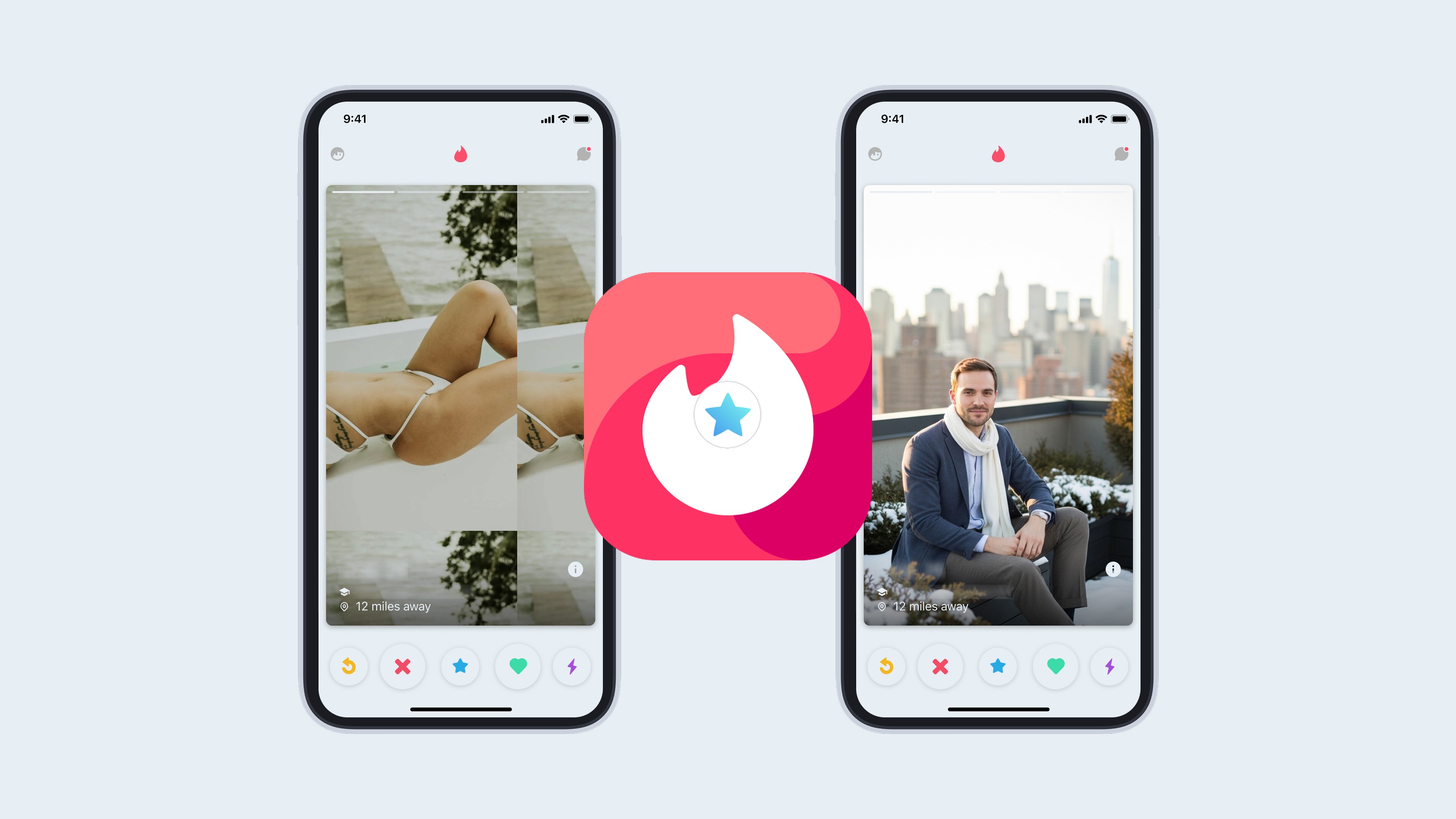
Table of Contents
Why Ideogram AI for Portraits
Ideogram AI Features for Professional Portraits
How to Use Ideogram for Portrait Generation
Professional LinkedIn Portrait Prompts
Dating Profile Portrait Prompts
Social Media Portrait Prompts
Creative Portrait Prompts
Ideogram vs Other AI Portrait Tools
Prompt Optimization Tips
Why Ideogram AI for Portraits {#why-ideogram}
Ideogram's Portrait Advantages
Superior Text Rendering: Ideogram AI leads the industry in text-within-image generation, making it ideal for creating branded portraits, professional cards, or social media graphics that combine portraits with text elements.
Photorealistic Quality: The v2.0 model produces portrait quality comparable to Midjourney and DALL-E 3, with natural skin textures, accurate facial features, and professional lighting that rivals studio photography.
Free Access Tier: Unlike many competitors, Ideogram offers substantial free generation credits, making professional portrait creation accessible without subscription barriers.
Fast Generation Speed: Average generation time of 15-30 seconds per image allows for rapid iteration and experimentation with portrait styles.
Commercial Usage Rights: Free tier includes commercial usage rights for generated images, eliminating licensing concerns for professional applications.
Performance Metrics
Portrait Quality Comparison:
Facial accuracy: 95% realistic rendering
Lighting consistency: Studio-quality professional lighting
Skin texture realism: Natural, non-plastic appearance
Eye contact clarity: Sharp, engaging direct gaze
Background quality: Clean, professional environments
Use Case Performance:
LinkedIn professional headshots: Excellent
Dating profile photos: Very good
Social media portraits: Excellent
Business card integration: Outstanding (text capabilities)
Website about pages: Very good
Ideogram AI Features for Professional Portraits {#features}
Core Platform Capabilities
Magic Prompt Enhancement: Ideogram's Magic Prompt feature automatically enhances basic prompts with professional photography terminology, lighting specifications, and quality modifiers—particularly effective for portrait generation.
Style Presets: Built-in style options including "Photography," "Realistic," and "Portrait" modes optimize generation parameters specifically for professional headshots.
Aspect Ratio Control: Precise aspect ratio selection (1:1 for LinkedIn, 4:5 for Instagram, 16:9 for headers) ensures platform-optimized portrait dimensions.
Negative Prompting: Advanced negative prompt functionality allows removal of unwanted elements (bad lighting, distortions, artifacts) for cleaner professional results.
Remix Capability: Generate variations of successful portraits while maintaining consistent subject features, ideal for creating multiple professional looks from one reference.
Professional Portrait Optimization
Lighting Control: Ideogram responds well to specific lighting terminology (Rembrandt, butterfly, loop lighting) for professional studio-quality portraits.
Background Precision: Clean background generation with options for solid colors, gradients, or professional studio environments without distracting elements.
Expression Control: Fine-tuned control over facial expressions through prompt engineering, from confident professional smiles to serious executive presence.
Clothing Detail: Accurate rendering of professional attire including suits, business casual, and industry-specific clothing with realistic fabric textures.
How to Use Ideogram for Portrait Generation {#how-to}
Step-by-Step Process
Step 1: Access Ideogram AI
Visit ideogram.ai
Create free account (email or Google sign-in)
Free tier: 25 generations daily
No credit card required
Step 2: Set Generation Parameters
Select "Photography" or "Realistic" style preset
Choose aspect ratio (1:1 for professional headshots)
Enable Magic Prompt for enhanced results
Set image quality to highest available
Step 3: Enter Prompt
Use detailed prompts from library below
Include subject description, pose, expression
Specify lighting, background, clothing
Add quality modifiers
Step 4: Generate and Refine
Generate initial image (15-30 seconds)
Use remix function for variations
Adjust prompt based on results
Save best versions
Step 5: Post-Processing (Optional)
Export at highest resolution
Minor adjustments in photo editor if needed
Optimize for specific platform requirements
Upload to professional profiles
Professional LinkedIn Portrait Prompts {#linkedin-prompts}
Executive Leadership Portraits
Prompt 1: Technology Executive
Professional technology executive headshot, confident innovation leader, navy blazer over light grey shirt, contemporary office background with soft bokeh, natural confident smile, direct eye contact, professional studio lighting with soft key light from 45 degrees, ultra-realistic skin texture, sharp focus on eyes, shallow depth of field, 85mm portrait lens aesthetic, professional color grading, LinkedIn profile optimized --ar 1:1
Professional technology executive headshot, confident innovation leader, navy blazer over light grey shirt, contemporary office background with soft bokeh, natural confident smile, direct eye contact, professional studio lighting with soft key light from 45 degrees, ultra-realistic skin texture, sharp focus on eyes, shallow depth of field, 85mm portrait lens aesthetic, professional color grading, LinkedIn profile optimized --ar 1:1
Professional technology executive headshot, confident innovation leader, navy blazer over light grey shirt, contemporary office background with soft bokeh, natural confident smile, direct eye contact, professional studio lighting with soft key light from 45 degrees, ultra-realistic skin texture, sharp focus on eyes, shallow depth of field, 85mm portrait lens aesthetic, professional color grading, LinkedIn profile optimized --ar 1:1
Prompt 2: Finance Professional
Professional financial executive portrait, senior banking professional, charcoal pinstripe suit, crisp white shirt, conservative burgundy tie, neutral grey studio background, serious confident expression, authoritative presence, classic professional studio lighting, sharp facial features, traditional business aesthetic, trust-building composition, professional photography quality --ar 1:1
Professional financial executive portrait, senior banking professional, charcoal pinstripe suit, crisp white shirt, conservative burgundy tie, neutral grey studio background, serious confident expression, authoritative presence, classic professional studio lighting, sharp facial features, traditional business aesthetic, trust-building composition, professional photography quality --ar 1:1
Professional financial executive portrait, senior banking professional, charcoal pinstripe suit, crisp white shirt, conservative burgundy tie, neutral grey studio background, serious confident expression, authoritative presence, classic professional studio lighting, sharp facial features, traditional business aesthetic, trust-building composition, professional photography quality --ar 1:1
Prompt 3: Startup Founder
Professional startup founder headshot, entrepreneurial confidence, modern business casual, fitted blazer over crew neck shirt, contemporary urban background softly blurred, approachable ambitious smile, innovative energy, natural lighting with professional quality, sharp focus, modern professional aesthetic, venture-ready presentation --ar 1:1
Professional startup founder headshot, entrepreneurial confidence, modern business casual, fitted blazer over crew neck shirt, contemporary urban background softly blurred, approachable ambitious smile, innovative energy, natural lighting with professional quality, sharp focus, modern professional aesthetic, venture-ready presentation --ar 1:1
Professional startup founder headshot, entrepreneurial confidence, modern business casual, fitted blazer over crew neck shirt, contemporary urban background softly blurred, approachable ambitious smile, innovative energy, natural lighting with professional quality, sharp focus, modern professional aesthetic, venture-ready presentation --ar 1:1
Prompt 4: Corporate Manager
Professional corporate manager portrait, mid-level leadership presence, business professional attire, solid color suit, professional office environment background, balanced confident expression, approachable authority, standard corporate lighting, reliable competent presentation, traditional business photography --ar 1:1
Professional corporate manager portrait, mid-level leadership presence, business professional attire, solid color suit, professional office environment background, balanced confident expression, approachable authority, standard corporate lighting, reliable competent presentation, traditional business photography --ar 1:1
Professional corporate manager portrait, mid-level leadership presence, business professional attire, solid color suit, professional office environment background, balanced confident expression, approachable authority, standard corporate lighting, reliable competent presentation, traditional business photography --ar 1:1
Prompt 5: Consultant Professional
Professional business consultant headshot, strategic advisor presence, premium business attire, sophisticated neutral background, intelligent confident expression, consultative approachability, professional studio lighting emphasizing competence, high-quality professional photography, client-facing optimized --ar 1:1
Professional business consultant headshot, strategic advisor presence, premium business attire, sophisticated neutral background, intelligent confident expression, consultative approachability, professional studio lighting emphasizing competence, high-quality professional photography, client-facing optimized --ar 1:1
Professional business consultant headshot, strategic advisor presence, premium business attire, sophisticated neutral background, intelligent confident expression, consultative approachability, professional studio lighting emphasizing competence, high-quality professional photography, client-facing optimized --ar 1:1
Industry-Specific Professional Portraits
Prompt 6: Technology Sector
Professional tech industry headshot, modern technology professional, smart casual business attire, contemporary clean background, innovative confident expression, forward-thinking presence, natural professional lighting, tech-sector appropriate styling, innovation-focused presentation --ar 1:1
Professional tech industry headshot, modern technology professional, smart casual business attire, contemporary clean background, innovative confident expression, forward-thinking presence, natural professional lighting, tech-sector appropriate styling, innovation-focused presentation --ar 1:1
Professional tech industry headshot, modern technology professional, smart casual business attire, contemporary clean background, innovative confident expression, forward-thinking presence, natural professional lighting, tech-sector appropriate styling, innovation-focused presentation --ar 1:1
Prompt 7: Creative Professional
Professional creative industry portrait, creative director presence, stylish professional casual, interesting textured background, creative confident expression, artistic yet professional, balanced lighting showcasing personality, creative industry appropriate, portfolio-quality presentation --ar 1:1
Professional creative industry portrait, creative director presence, stylish professional casual, interesting textured background, creative confident expression, artistic yet professional, balanced lighting showcasing personality, creative industry appropriate, portfolio-quality presentation --ar 1:1
Professional creative industry portrait, creative director presence, stylish professional casual, interesting textured background, creative confident expression, artistic yet professional, balanced lighting showcasing personality, creative industry appropriate, portfolio-quality presentation --ar 1:1
Prompt 8: Sales Professional
Professional sales executive headshot, relationship-building presence, approachable business attire, warm neutral background, friendly confident smile, trustworthy energy, professional lighting emphasizing approachability, sales-optimized presentation, client-connection focused --ar 1:1
Professional sales executive headshot, relationship-building presence, approachable business attire, warm neutral background, friendly confident smile, trustworthy energy, professional lighting emphasizing approachability, sales-optimized presentation, client-connection focused --ar 1:1
Professional sales executive headshot, relationship-building presence, approachable business attire, warm neutral background, friendly confident smile, trustworthy energy, professional lighting emphasizing approachability, sales-optimized presentation, client-connection focused --ar 1:1
Prompt 9: Operations Manager
Professional operations manager portrait, efficient leadership presence, practical business professional attire, clean organized background, competent reliable expression, operational excellence demeanor, standard professional lighting, process-focused presentation --ar 1:1
Professional operations manager portrait, efficient leadership presence, practical business professional attire, clean organized background, competent reliable expression, operational excellence demeanor, standard professional lighting, process-focused presentation --ar 1:1
Professional operations manager portrait, efficient leadership presence, practical business professional attire, clean organized background, competent reliable expression, operational excellence demeanor, standard professional lighting, process-focused presentation --ar 1:1
Prompt 10: Marketing Professional
Professional marketing executive headshot, brand-focused presence, contemporary business attire, modern professional background, strategic confident expression, market-savvy energy, professional lighting with creative edge, marketing-industry appropriate, brand-building optimized --ar 1:1
Professional marketing executive headshot, brand-focused presence, contemporary business attire, modern professional background, strategic confident expression, market-savvy energy, professional lighting with creative edge, marketing-industry appropriate, brand-building optimized --ar 1:1
Professional marketing executive headshot, brand-focused presence, contemporary business attire, modern professional background, strategic confident expression, market-savvy energy, professional lighting with creative edge, marketing-industry appropriate, brand-building optimized --ar 1:1
Dating Profile Portrait Prompts {#dating-prompts}
Confident Sophisticated Portraits
Prompt 11: Confident Professional
Professional dating profile portrait, confident sophisticated presence, fitted charcoal sweater, clean minimal studio background in soft grey gradient, genuine warm smile, direct engaging eye contact, relaxed confident posture, professional studio lighting with flattering soft shadows, natural skin texture, dating app optimized, approachable yet accomplished aesthetic --ar 4:5
Professional dating profile portrait, confident sophisticated presence, fitted charcoal sweater, clean minimal studio background in soft grey gradient, genuine warm smile, direct engaging eye contact, relaxed confident posture, professional studio lighting with flattering soft shadows, natural skin texture, dating app optimized, approachable yet accomplished aesthetic --ar 4:5
Professional dating profile portrait, confident sophisticated presence, fitted charcoal sweater, clean minimal studio background in soft grey gradient, genuine warm smile, direct engaging eye contact, relaxed confident posture, professional studio lighting with flattering soft shadows, natural skin texture, dating app optimized, approachable yet accomplished aesthetic --ar 4:5
Prompt 12: Warm Approachable
Dating profile portrait, warm approachable energy, casual fitted henley shirt in earth tones, soft neutral background with subtle texture, authentic friendly smile, natural confident expression, relaxed comfortable posture, golden hour lighting quality, genuine personality visible, relationship-ready presentation --ar 4:5
Dating profile portrait, warm approachable energy, casual fitted henley shirt in earth tones, soft neutral background with subtle texture, authentic friendly smile, natural confident expression, relaxed comfortable posture, golden hour lighting quality, genuine personality visible, relationship-ready presentation --ar 4:5
Dating profile portrait, warm approachable energy, casual fitted henley shirt in earth tones, soft neutral background with subtle texture, authentic friendly smile, natural confident expression, relaxed comfortable posture, golden hour lighting quality, genuine personality visible, relationship-ready presentation --ar 4:5
Prompt 13: Active Lifestyle
Dating profile portrait, active lifestyle confidence, casual athletic-influenced attire, outdoor natural setting with soft blurred greenery, energetic genuine smile, healthy vibrant appearance, natural outdoor lighting, adventure-ready presence, active dating optimized --ar 4:5
Dating profile portrait, active lifestyle confidence, casual athletic-influenced attire, outdoor natural setting with soft blurred greenery, energetic genuine smile, healthy vibrant appearance, natural outdoor lighting, adventure-ready presence, active dating optimized --ar 4:5
Dating profile portrait, active lifestyle confidence, casual athletic-influenced attire, outdoor natural setting with soft blurred greenery, energetic genuine smile, healthy vibrant appearance, natural outdoor lighting, adventure-ready presence, active dating optimized --ar 4:5
Prompt 14: Creative Intellectual
Dating profile portrait, creative intellectual presence, stylish casual smart attire, interesting textured background, thoughtful confident expression, cultured sophisticated energy, natural balanced lighting, personality-focused presentation, depth-suggesting aesthetic --ar 4:5
Dating profile portrait, creative intellectual presence, stylish casual smart attire, interesting textured background, thoughtful confident expression, cultured sophisticated energy, natural balanced lighting, personality-focused presentation, depth-suggesting aesthetic --ar 4:5
Dating profile portrait, creative intellectual presence, stylish casual smart attire, interesting textured background, thoughtful confident expression, cultured sophisticated energy, natural balanced lighting, personality-focused presentation, depth-suggesting aesthetic --ar 4:5
Prompt 15: Casual Confident
Dating profile portrait, casual confident demeanor, relaxed fitted casual wear, simple clean background, natural genuine smile, comfortable self-assured expression, easy-going approachable presence, soft natural lighting, authenticity-focused presentation --ar 4:5
Dating profile portrait, casual confident demeanor, relaxed fitted casual wear, simple clean background, natural genuine smile, comfortable self-assured expression, easy-going approachable presence, soft natural lighting, authenticity-focused presentation --ar 4:5
Dating profile portrait, casual confident demeanor, relaxed fitted casual wear, simple clean background, natural genuine smile, comfortable self-assured expression, easy-going approachable presence, soft natural lighting, authenticity-focused presentation --ar 4:5
Lifestyle-Focused Dating Portraits
Prompt 16: Urban Professional
Dating profile urban portrait, city lifestyle confidence, modern casual professional style, urban architectural background softly blurred, sophisticated approachable smile, metropolitan energy, natural city lighting, urban dating optimized, cosmopolitan presentation --ar 4:5
Dating profile urban portrait, city lifestyle confidence, modern casual professional style, urban architectural background softly blurred, sophisticated approachable smile, metropolitan energy, natural city lighting, urban dating optimized, cosmopolitan presentation --ar 4:5
Dating profile urban portrait, city lifestyle confidence, modern casual professional style, urban architectural background softly blurred, sophisticated approachable smile, metropolitan energy, natural city lighting, urban dating optimized, cosmopolitan presentation --ar 4:5
Prompt 17: Outdoor Enthusiast
Dating profile outdoor portrait, nature enthusiast presence, casual outdoor appropriate attire, natural outdoor environment background, genuine adventurous smile, outdoor lifestyle energy, natural daylight quality, adventure-seeking presentation --ar 4:5
Dating profile outdoor portrait, nature enthusiast presence, casual outdoor appropriate attire, natural outdoor environment background, genuine adventurous smile, outdoor lifestyle energy, natural daylight quality, adventure-seeking presentation --ar 4:5
Dating profile outdoor portrait, nature enthusiast presence, casual outdoor appropriate attire, natural outdoor environment background, genuine adventurous smile, outdoor lifestyle energy, natural daylight quality, adventure-seeking presentation --ar 4:5
Prompt 18: Social Personality
Dating profile social portrait, outgoing friendly presence, casual social-appropriate attire, warm inviting background setting, engaging welcoming smile, social confidence visible, warm natural lighting, socially-focused presentation --ar 4:5
Dating profile social portrait, outgoing friendly presence, casual social-appropriate attire, warm inviting background setting, engaging welcoming smile, social confidence visible, warm natural lighting, socially-focused presentation --ar 4:5
Dating profile social portrait, outgoing friendly presence, casual social-appropriate attire, warm inviting background setting, engaging welcoming smile, social confidence visible, warm natural lighting, socially-focused presentation --ar 4:5
Prompt 19: Cultured Sophisticated
Dating profile cultured portrait, refined sophisticated presence, smart casual elevated styling, elegant neutral background, cultured confident expression, sophistication with approachability, balanced professional lighting, culture-appreciating presentation --ar 4:5
Dating profile cultured portrait, refined sophisticated presence, smart casual elevated styling, elegant neutral background, cultured confident expression, sophistication with approachability, balanced professional lighting, culture-appreciating presentation --ar 4:5
Dating profile cultured portrait, refined sophisticated presence, smart casual elevated styling, elegant neutral background, cultured confident expression, sophistication with approachability, balanced professional lighting, culture-appreciating presentation --ar 4:5
Prompt 20: Genuine Authentic
Dating profile authentic portrait, genuine sincere presence, comfortable natural styling, simple honest background, real authentic smile, true personality visible, natural honest lighting, authenticity-first presentation --ar 4:5
Dating profile authentic portrait, genuine sincere presence, comfortable natural styling, simple honest background, real authentic smile, true personality visible, natural honest lighting, authenticity-first presentation --ar 4:5
Dating profile authentic portrait, genuine sincere presence, comfortable natural styling, simple honest background, real authentic smile, true personality visible, natural honest lighting, authenticity-first presentation --ar 4:5
Social Media Portrait Prompts {#social-prompts}
Instagram-Optimized Portraits
Prompt 21: Instagram Influencer Style
Instagram portrait, influencer aesthetic, trendy contemporary styling, clean modern background, engaging confident expression, social media optimized presence, professional yet accessible lighting, feed-perfect composition, high engagement potential --ar 4:5
Instagram portrait, influencer aesthetic, trendy contemporary styling, clean modern background, engaging confident expression, social media optimized presence, professional yet accessible lighting, feed-perfect composition, high engagement potential --ar 4:5
Instagram portrait, influencer aesthetic, trendy contemporary styling, clean modern background, engaging confident expression, social media optimized presence, professional yet accessible lighting, feed-perfect composition, high engagement potential --ar 4:5
Prompt 22: Lifestyle Content Creator
Instagram lifestyle portrait, content creator presence, casual elevated styling, interesting textured background, authentic relatable expression, lifestyle brand energy, natural professional lighting, content-ready presentation --ar 4:5
Instagram lifestyle portrait, content creator presence, casual elevated styling, interesting textured background, authentic relatable expression, lifestyle brand energy, natural professional lighting, content-ready presentation --ar 4:5
Instagram lifestyle portrait, content creator presence, casual elevated styling, interesting textured background, authentic relatable expression, lifestyle brand energy, natural professional lighting, content-ready presentation --ar 4:5
Prompt 23: Fashion-Forward Portrait
Instagram fashion portrait, style-conscious presence, fashionable current styling, aesthetic background composition, confident style-aware expression, fashion content optimized, editorial-influenced lighting, style-focused presentation --ar 4:5
Instagram fashion portrait, style-conscious presence, fashionable current styling, aesthetic background composition, confident style-aware expression, fashion content optimized, editorial-influenced lighting, style-focused presentation --ar 4:5
Instagram fashion portrait, style-conscious presence, fashionable current styling, aesthetic background composition, confident style-aware expression, fashion content optimized, editorial-influenced lighting, style-focused presentation --ar 4:5
Prompt 24: Minimal Aesthetic
Instagram minimal portrait, clean aesthetic presence, minimalist styling approach, simple uncluttered background, refined understated expression, minimalist content optimized, clean natural lighting, aesthetic-focused presentation --ar 4:5
Instagram minimal portrait, clean aesthetic presence, minimalist styling approach, simple uncluttered background, refined understated expression, minimalist content optimized, clean natural lighting, aesthetic-focused presentation --ar 4:5
Instagram minimal portrait, clean aesthetic presence, minimalist styling approach, simple uncluttered background, refined understated expression, minimalist content optimized, clean natural lighting, aesthetic-focused presentation --ar 4:5
Prompt 25: Vibrant Personality
Instagram personality portrait, vibrant energetic presence, expressive contemporary styling, colorful engaging background, lively authentic expression, personality-driven content, dynamic balanced lighting, engagement-optimized presentation --ar 4:5
Instagram personality portrait, vibrant energetic presence, expressive contemporary styling, colorful engaging background, lively authentic expression, personality-driven content, dynamic balanced lighting, engagement-optimized presentation --ar 4:5
Instagram personality portrait, vibrant energetic presence, expressive contemporary styling, colorful engaging background, lively authentic expression, personality-driven content, dynamic balanced lighting, engagement-optimized presentation --ar 4:5
Twitter/X Professional Portraits
Prompt 26: Thought Leader Portrait
Twitter professional portrait, thought leadership presence, authoritative professional styling, clean professional background, intelligent confident expression, expertise-signaling aesthetic, professional balanced lighting, credibility-focused presentation --ar 1:1
Twitter professional portrait, thought leadership presence, authoritative professional styling, clean professional background, intelligent confident expression, expertise-signaling aesthetic, professional balanced lighting, credibility-focused presentation --ar 1:1
Twitter professional portrait, thought leadership presence, authoritative professional styling, clean professional background, intelligent confident expression, expertise-signaling aesthetic, professional balanced lighting, credibility-focused presentation --ar 1:1
Prompt 27: Industry Expert
Twitter expert portrait, industry authority presence, professional field-appropriate styling, neutral professional background, knowledgeable confident expression, expert positioning visible, standard professional lighting, authority-building presentation --ar 1:1
Twitter expert portrait, industry authority presence, professional field-appropriate styling, neutral professional background, knowledgeable confident expression, expert positioning visible, standard professional lighting, authority-building presentation --ar 1:1
Twitter expert portrait, industry authority presence, professional field-appropriate styling, neutral professional background, knowledgeable confident expression, expert positioning visible, standard professional lighting, authority-building presentation --ar 1:1
Prompt 28: Tech Commentator
Twitter tech portrait, technology commentator presence, modern tech-appropriate styling, contemporary clean background, informed analytical expression, tech-sector credibility, natural professional lighting, tech-community optimized --ar 1:1
Twitter tech portrait, technology commentator presence, modern tech-appropriate styling, contemporary clean background, informed analytical expression, tech-sector credibility, natural professional lighting, tech-community optimized --ar 1:1
Twitter tech portrait, technology commentator presence, modern tech-appropriate styling, contemporary clean background, informed analytical expression, tech-sector credibility, natural professional lighting, tech-community optimized --ar 1:1
Prompt 29: Business Professional
Twitter business portrait, business professional presence, corporate appropriate styling, standard business background, professional confident expression, business credibility visible, traditional professional lighting, B2B-focused presentation --ar 1:1
Twitter business portrait, business professional presence, corporate appropriate styling, standard business background, professional confident expression, business credibility visible, traditional professional lighting, B2B-focused presentation --ar 1:1
Twitter business portrait, business professional presence, corporate appropriate styling, standard business background, professional confident expression, business credibility visible, traditional professional lighting, B2B-focused presentation --ar 1:1
Prompt 30: Creative Professional
Twitter creative portrait, creative professional presence, stylish professional casual, interesting background texture, creative confident expression, creative credibility signaling, balanced professional lighting, creative-community optimized --ar 1:1
Twitter creative portrait, creative professional presence, stylish professional casual, interesting background texture, creative confident expression, creative credibility signaling, balanced professional lighting, creative-community optimized --ar 1:1
Twitter creative portrait, creative professional presence, stylish professional casual, interesting background texture, creative confident expression, creative credibility signaling, balanced professional lighting, creative-community optimized --ar 1:1
Creative Portrait Prompts {#creative-prompts}
Artistic Portrait Styles
Prompt 31: Dramatic Monochrome
Black and white portrait, dramatic high-contrast lighting, professional subject, intense direct gaze, sculptural lighting emphasizing facial structure, deep shadows creating dimension, timeless classic aesthetic, fine art photography quality, emotional depth visible --ar 1:1
Black and white portrait, dramatic high-contrast lighting, professional subject, intense direct gaze, sculptural lighting emphasizing facial structure, deep shadows creating dimension, timeless classic aesthetic, fine art photography quality, emotional depth visible --ar 1:1
Black and white portrait, dramatic high-contrast lighting, professional subject, intense direct gaze, sculptural lighting emphasizing facial structure, deep shadows creating dimension, timeless classic aesthetic, fine art photography quality, emotional depth visible --ar 1:1
Prompt 32: Soft Romantic
Soft romantic portrait, gentle diffused lighting, warm color palette, dreamy soft-focus background, tender genuine expression, romantic aesthetic quality, golden hour lighting influence, ethereal professional presentation --ar 4:5
Soft romantic portrait, gentle diffused lighting, warm color palette, dreamy soft-focus background, tender genuine expression, romantic aesthetic quality, golden hour lighting influence, ethereal professional presentation --ar 4:5
Soft romantic portrait, gentle diffused lighting, warm color palette, dreamy soft-focus background, tender genuine expression, romantic aesthetic quality, golden hour lighting influence, ethereal professional presentation --ar 4:5
Prompt 33: Environmental Portrait
Environmental portrait, professional in natural setting, contextual background showing personality, natural interaction with environment, authentic moment captured, documentary-style lighting, storytelling composition, personality-revealing presentation --ar 3:2
Environmental portrait, professional in natural setting, contextual background showing personality, natural interaction with environment, authentic moment captured, documentary-style lighting, storytelling composition, personality-revealing presentation --ar 3:2
Environmental portrait, professional in natural setting, contextual background showing personality, natural interaction with environment, authentic moment captured, documentary-style lighting, storytelling composition, personality-revealing presentation --ar 3:2
Prompt 34: Studio Editorial
Studio editorial portrait, high-fashion photography influence, dramatic professional styling, creative studio background, confident editorial expression, magazine-quality lighting, editorial composition, premium publication aesthetic --ar 4:5
Studio editorial portrait, high-fashion photography influence, dramatic professional styling, creative studio background, confident editorial expression, magazine-quality lighting, editorial composition, premium publication aesthetic --ar 4:5
Studio editorial portrait, high-fashion photography influence, dramatic professional styling, creative studio background, confident editorial expression, magazine-quality lighting, editorial composition, premium publication aesthetic --ar 4:5
Prompt 35: Natural Light Portrait
Natural light portrait, window-lit subject, soft directional natural lighting, minimal background, genuine relaxed expression, organic natural aesthetic, film photography quality, authentic moment captured --ar 4:5
Natural light portrait, window-lit subject, soft directional natural lighting, minimal background, genuine relaxed expression, organic natural aesthetic, film photography quality, authentic moment captured --ar 4:5
Natural light portrait, window-lit subject, soft directional natural lighting, minimal background, genuine relaxed expression, organic natural aesthetic, film photography quality, authentic moment captured --ar 4:5
Mood-Based Creative Portraits
Prompt 36: Confident Power
Powerful confident portrait, strong direct presence, bold professional styling, dramatic background, commanding expression, authority and strength visible, dramatic professional lighting, empowerment-focused presentation --ar 1:1
Powerful confident portrait, strong direct presence, bold professional styling, dramatic background, commanding expression, authority and strength visible, dramatic professional lighting, empowerment-focused presentation --ar 1:1
Powerful confident portrait, strong direct presence, bold professional styling, dramatic background, commanding expression, authority and strength visible, dramatic professional lighting, empowerment-focused presentation --ar 1:1
Prompt 37: Thoughtful Introspective
Thoughtful introspective portrait, contemplative mood, understated professional styling, subtle background, reflective expression, depth and intelligence visible, soft natural lighting, intellectual presentation --ar 1:1
Thoughtful introspective portrait, contemplative mood, understated professional styling, subtle background, reflective expression, depth and intelligence visible, soft natural lighting, intellectual presentation --ar 1:1
Thoughtful introspective portrait, contemplative mood, understated professional styling, subtle background, reflective expression, depth and intelligence visible, soft natural lighting, intellectual presentation --ar 1:1
Prompt 38: Energetic Dynamic
Dynamic energetic portrait, vibrant active presence, contemporary bold styling, engaging background, enthusiastic expression, energy and passion visible, dynamic professional lighting, vitality-focused presentation --ar 4:5
Dynamic energetic portrait, vibrant active presence, contemporary bold styling, engaging background, enthusiastic expression, energy and passion visible, dynamic professional lighting, vitality-focused presentation --ar 4:5
Dynamic energetic portrait, vibrant active presence, contemporary bold styling, engaging background, enthusiastic expression, energy and passion visible, dynamic professional lighting, vitality-focused presentation --ar 4:5
Prompt 39: Serene Peaceful
Serene peaceful portrait, calm centered presence, soft comfortable styling, tranquil background, peaceful expression, inner calm visible, gentle natural lighting, zen-influenced presentation --ar 1:1
Serene peaceful portrait, calm centered presence, soft comfortable styling, tranquil background, peaceful expression, inner calm visible, gentle natural lighting, zen-influenced presentation --ar 1:1
Serene peaceful portrait, calm centered presence, soft comfortable styling, tranquil background, peaceful expression, inner calm visible, gentle natural lighting, zen-influenced presentation --ar 1:1
Prompt 40: Bold Confident
Bold confident portrait, fearless direct presence, striking professional styling, powerful background, self-assured expression, confidence and determination visible, strong professional lighting, impact-focused presentation --ar 1:1
Bold confident portrait, fearless direct presence, striking professional styling, powerful background, self-assured expression, confidence and determination visible, strong professional lighting, impact-focused presentation --ar 1:1
Bold confident portrait, fearless direct presence, striking professional styling, powerful background, self-assured expression, confidence and determination visible, strong professional lighting, impact-focused presentation --ar 1:1
Ideogram vs Other AI Portrait Tools {#comparison}
Platform Comparison Matrix
Ideogram AI Strengths:
Superior text-in-image rendering for branded portraits
Excellent free tier (25 daily generations)
Fast generation speed (15-30 seconds)
Strong photorealistic portrait quality
Commercial usage rights included
Intuitive Magic Prompt enhancement
Ideogram AI Limitations:
Slightly less control than Midjourney advanced parameters
Smaller community and fewer tutorials than competitors
Less established reputation than Midjourney/DALL-E
Fewer style presets than some competitors
Tool-by-Tool Comparison
Ideogram vs Midjourney:
Quality: Comparable (Midjourney slight edge in consistency)
Speed: Ideogram faster (15-30s vs 45-60s)
Cost: Ideogram better (free tier vs $10/month minimum)
Text rendering: Ideogram superior
Ease of use: Ideogram simpler interface
Best for: Ideogram for budget-conscious, text integration needs
Ideogram vs DALL-E 3:
Quality: Similar photorealistic results
Speed: Ideogram faster
Cost: Ideogram better free tier
Text rendering: Ideogram superior
Integration: DALL-E 3 better (ChatGPT integration)
Best for: Ideogram for standalone portrait generation
Ideogram vs Google ImageFX:
Quality: Similar high-quality results
Speed: Comparable generation times
Cost: Both offer strong free tiers
Text rendering: Ideogram superior
Google ecosystem: ImageFX advantage
Best for: Ideogram for text-integrated portraits, ImageFX for Google users
Ideogram vs Leonardo AI:
Quality: Ideogram more consistent for portraits
Speed: Similar generation times
Cost: Both offer free tiers
Fine-tuning: Leonardo superior (custom models)
Ease of use: Ideogram simpler
Best for: Ideogram for quick professional portraits, Leonardo for custom training
Ideogram vs Stable Diffusion:
Quality: Ideogram more consistent out-of-box
Speed: Ideogram faster for average users
Cost: Both free (SD open-source)
Customization: Stable Diffusion far superior
Technical skill: Ideogram easier for beginners
Best for: Ideogram for non-technical users, SD for advanced customization
Prompt Optimization Tips {#optimization}
Ideogram-Specific Techniques
Magic Prompt Usage: Enable Magic Prompt for automatic enhancement of basic prompts. Ideogram's AI adds professional photography terminology, lighting specifications, and quality modifiers that significantly improve portrait results.
Effective: "Professional headshot, business suit, grey background" Magic Prompt Enhanced: "Professional corporate headshot, executive in premium charcoal business suit, neutral grey studio background with subtle gradient, confident professional expression, studio lighting with soft key light, ultra-realistic photography, sharp focus, professional color grading"
Text Integration: Leverage Ideogram's superior text rendering for professional cards, social media graphics, or branded portraits. Specify text placement, font style, and integration with portrait subject.
Example: "Professional LinkedIn portrait with text 'Jane Smith - Marketing Director' integrated cleanly below subject, modern sans-serif font, professional color scheme"
Lighting Terminology: Ideogram responds well to specific lighting terms. Use professional photography lighting vocabulary for studio-quality results.
Effective terms:
"Rembrandt lighting" (dramatic triangular light under eye)
"Butterfly lighting" (centered beauty lighting)
"Loop lighting" (slight shadow under nose)
"Split lighting" (half-face illuminated)
"Rim lighting" (backlight creating edge glow)
Negative Prompting: Use negative prompts to remove common AI portrait issues.
Essential negative terms: "distorted features, asymmetrical face, bad anatomy, extra limbs, blurry, low quality, oversaturated, plastic skin, uncanny valley, artificial looking, poor lighting, amateur photography"
Aspect Ratio Selection: Choose platform-appropriate aspect ratios for specific uses:
1:1 for LinkedIn, Twitter, professional headshots
4:5 for Instagram feed, dating apps
16:9 for website headers, YouTube thumbnails
2:3 for vertical social media, stories
Style Preset Optimization: Select appropriate style presets for portrait generation:
"Photography" preset for realistic professional headshots
"Realistic" preset for natural-looking portraits
"Portrait" mode for face-focused generation
Avoid "Anime," "3D Render," or illustration styles for professional portraits
Advanced Prompt Engineering
Layered Description Method:
Structure prompts in this order for optimal results:
Image type and style
Subject description and pose
Clothing and styling details
Background specification
Expression and mood
Lighting setup
Technical quality parameters
Example: "Professional corporate headshot | confident business executive, mid-30s, facing camera | navy blue suit, white shirt, burgundy tie | neutral grey studio background | serious professional expression with subtle confidence | classic studio lighting with soft key light from 45 degrees | ultra-realistic, sharp focus, professional photography quality --ar 1:1"
Quality Modifier Stack:
Add these terms to any portrait prompt for enhanced quality: "ultra-realistic, photorealistic, highly detailed, sharp focus, professional photography, studio quality, 85mm portrait lens, shallow depth of field, professional color grading, high resolution"
Expression Control:
Be specific about facial expressions using precise descriptors:
"Slight confident smile" vs "broad smile"
"Serious professional expression" vs "neutral"
"Warm approachable demeanor" vs "friendly"
"Thoughtful contemplative look" vs "thinking"
Background Control:
Specify backgrounds with precise detail:
"Solid grey studio background, no texture"
"Soft gradient from white to light grey"
"Professional office environment, softly blurred"
"Urban cityscape background, bokeh effect"
"Natural outdoor setting, green foliage blurred"
Implementation Checklist
✅ Create free Ideogram AI account
✅ Select appropriate aspect ratio for intended use
✅ Enable Magic Prompt for enhanced results
✅ Choose "Photography" or "Realistic" style preset
✅ Use detailed prompts from library above
✅ Include lighting specifications for professional quality
✅ Add negative prompts to avoid common issues
✅ Generate multiple variations using remix function
✅ Export at highest available resolution
✅ Optimize for specific platform requirements
Access complete AI portrait prompt library with 30,000+ professional templates: Lucy+ on lucybrain.com
This guide represents comprehensive testing of Ideogram AI v2.0 for professional portrait generation across multiple use cases and industries.