



impossible to
possible

LucyBrain Switzerland ○ AI Daily
Business Headshots: 80 AI Prompts That Look Studio-Perfect

TL;DR: These 80 AI business headshot prompts create studio-quality corporate photos without expensive photography sessions. Upload a reference photo to Google ImageFX (free), ChatGPT, Midjourney, or Higgsfield Soul, use our proven studio-style prompts, and get professional business headshots ready for company websites, business cards, and corporate materials in minutes.
How to Create Studio-Quality AI Business Headshots
Best AI Tools for Business Headshots
Our Top 5 Recommended Tools:
1. Google ImageFX (Best Free Option)
Free with daily limits - Generous free generations daily
Why start here: Excellent realism, zero cost to start, easy to use
Perfect for: Testing studio-quality headshots, creating several options without paying
How to use: Visit imagefx.google.com, upload reference photo, paste prompt, generate
2. Google Gemini (Free with Limits)
Free with daily limits
Why use it: Google's AI with chat interface, conversational portrait generation
Perfect for: ChatGPT-style workflow, describing what you want naturally
How to use: Visit gemini.google.com, upload photo, describe desired portrait
3. ChatGPT with DALL-E (Easiest Interface)
Free tier: Limited generations | Plus: $20/month - Higher limits
Why it works: Most intuitive interface, fastest workflow, beginner-friendly
Perfect for: Users wanting simplest experience, quick iterations
How to use: Upload photo in ChatGPT, describe portrait style, generate instantly
4. Midjourney (Popular Premium Option)
Starting at $10/month
Why people use it: Strong community, lots of tutorials, Discord-based workflow
Perfect for: Users already familiar with Discord, prefer Midjourney's style
How to use: Discord-based (moderate learning curve)
5. Higgsfield Soul (Most Accurate & Consistent)
Requires: 15+ reference photos upload + subscription
Why it's best for likeness: Trains personalized AI model on YOUR specific face
Perfect for: Exact facial accuracy, consistent results across many photos
How to use: Upload 15+ varied photos, AI trains custom model, generate variations
Best for: Companies needing consistent headshots for entire team
Reality Check: All free tools have daily/monthly limits. They provide enough generations to create excellent studio-quality business headshots. Upgrade to paid only if you need high volume or team headshots.
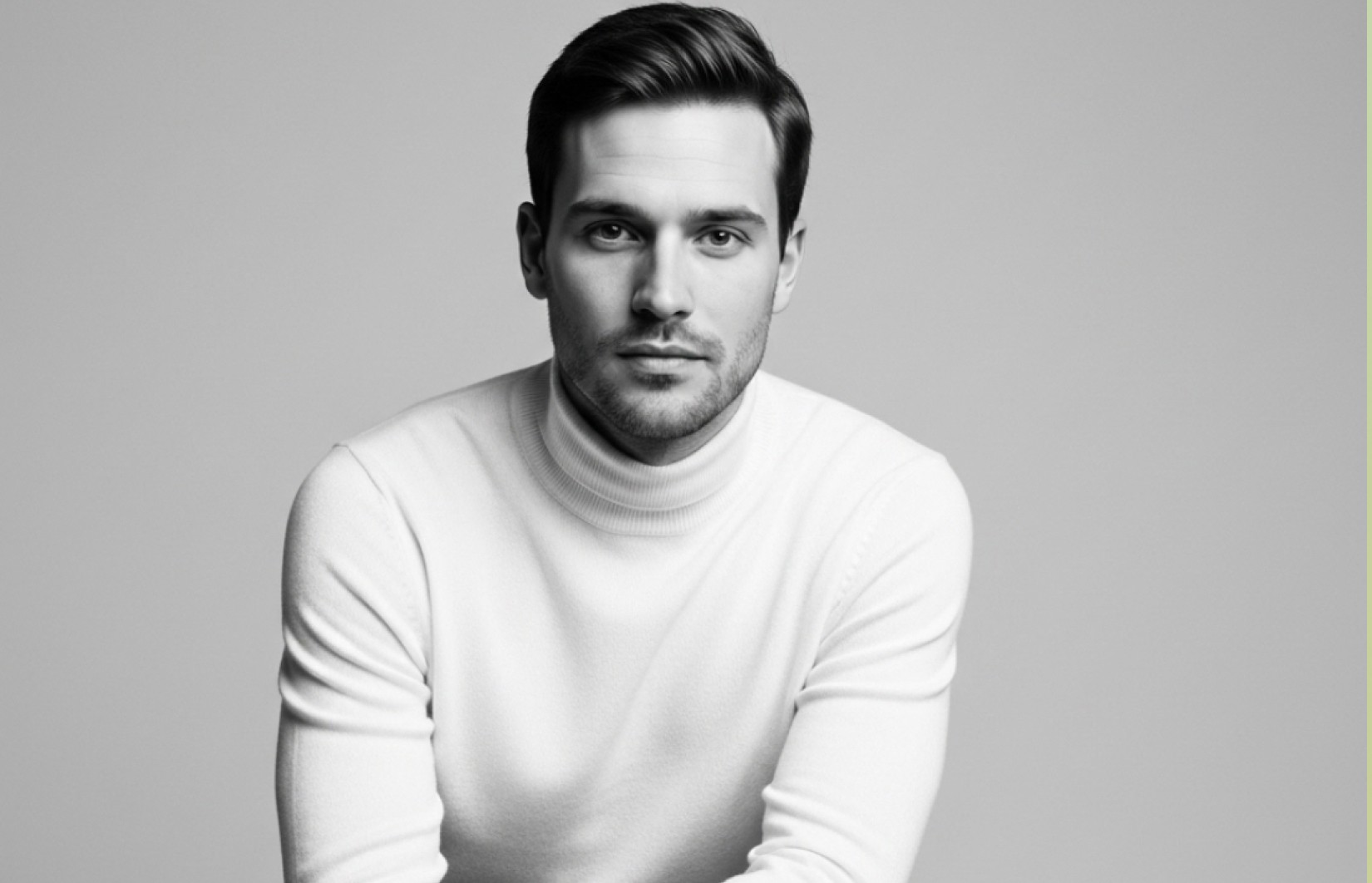
Step-by-Step: Upload Reference Photo & Generate
Step 1: Prepare Your Reference Photo
You need a clear reference photo so AI learns YOUR face. The style doesn't matter - prompts define the final look.
What makes a good reference photo:
✅ Clear face visible, front-facing or 45-degree angle
✅ Good lighting so AI can see your facial features clearly
✅ High resolution, not blurry
✅ Your face clearly visible (not covered by hands, hair, sunglasses)
✅ ANY outfit/setting works - casual selfie, vacation photo, party pic all fine
❌ Avoid: Blurry, very dark, face obscured, too far away
Important: Your reference can be a casual selfie! The AI only learns your facial structure. The PROMPTS below define studio quality, business attire, professional lighting.
Step 2: Upload Photo & Use Prompts
For Google ImageFX:
Go to imagefx.google.com
Upload your reference photo
Copy any prompt from below
Paste and generate
Download best results
For Google Gemini:
Go to gemini.google.com
Upload your reference photo
Type: "Create a studio-quality business headshot: [paste prompt]"
Generate and download
For ChatGPT:
Open chat.openai.com
Upload your reference photo
Copy prompt and send
Download results
For Midjourney:
Join Midjourney Discord
Type
/imagine+ upload referenceAdd prompt +
--style raw --ar 1:1Generate and upscale
For Higgsfield Soul:
Upload 15+ photos
Wait for AI training
Use any prompt below
Generate consistent results
Step 3: Deploy Across Business Materials
Upload to company website team page
Add to email signature
Print on business cards
Use in marketing materials
Include in proposals and presentations
Common Mistakes to Avoid
❌ Not using reference photo - AI can't create "you" without seeing your face ❌ Inconsistent team headshots - Use same style/lighting for all team members ❌ Wrong file format - Save as high-res JPEG or PNG for printing ❌ Poor lighting in prompt - Studio lighting keywords crucial for quality ❌ Not testing on business card - Preview at actual print size before ordering
Proven Prompt Formula
80 AI Business Headshot Prompts
Category 1: Classic Studio Lighting (15 Prompts)
1. Three-Point Studio Classic
2. Rembrandt Lighting
3. Butterfly Lighting
4. Loop Lighting Professional
5. Split Lighting Dramatic
6. Broad Lighting Setup
7. Short Lighting Professional
8. High-Key Bright Studio
9. Low-Key Corporate Drama
10. Soft Box Diffused
11. Beauty Dish Corporate
12. Umbrella Lighting Setup
13. Ring Light Professional
14. Clamshell Lighting
15. Natural Studio Light
Category 2: Studio Backgrounds (15 Prompts)
16. Pure White Seamless
17. Neutral Gray Professional
18. Charcoal Dark Studio
19. Light Gray Soft
20. Black Executive Background
21. Gradient Gray Studio
22. Off-White Warm
23. Textured Gray Background
24. Navy Blue Professional
25. Taupe Neutral Studio
26. Blurred Studio Depth
27. Corporate Blue Studio
28. Subtle Pattern Background
29. Cream Studio Soft
30. Slate Gray Executive
Category 3: Corporate Attire Styles (15 Prompts)
31. Navy Suit Classic
32. Charcoal Executive
33. Black Power Suit
34. Business Casual Professional
35. Dress Shirt Professional
36. Blue Blazer Classic
37. Smart Casual Executive
38. Conservative Professional
39. Modern Professional
40. Pinstripe Executive
41. Light Suit Summer
42. Vest Professional
43. Turtleneck Executive
44. Sweater Business Casual
45. Formal Business Attire
Category 4: Expression & Presence (10 Prompts)
46. Confident Professional Smile
47. Approachable Warm
48. Serious Executive
49. Thoughtful Professional
50. Dynamic Leader
51. Trustworthy Advisor
52. Collaborative Partner
53. Innovative Thinker
54. Calm Composed
55. Authoritative Executive
Category 5: Technical Quality (10 Prompts)
56. Ultra High Resolution
57. Shallow Depth Bokeh
58. Perfect Exposure Balance
59. Print-Ready Quality
60. Color Accurate Studio
61. Crisp Sharp Detail
62. Professional Grade Output
63. Retouched Natural
64. Optimal Contrast
65. Studio Perfect Lighting
Category 6: Industry-Specific Studio (15 Prompts)
66. Finance Professional Studio
67. Tech Executive Studio
68. Legal Professional Studio
69. Healthcare Executive Studio
70. Consulting Professional Studio
71. Real Estate Professional Studio
72. Insurance Professional Studio
73. Accounting Professional Studio
74. Marketing Professional Studio
75. Sales Professional Studio
76. HR Professional Studio
77. Operations Professional Studio
78. Executive Leadership Studio
79. Entrepreneur Studio
80. Board Director Studio
Frequently Asked Questions
Q: How much does a professional studio headshot cost vs. AI? A: Professional studio headshots cost $200-500 per session. AI headshots using free tools (Google ImageFX/Gemini) cost $0. Paid AI tools (ChatGPT Plus, Midjourney) cost $10-20/month for unlimited headshots.
Q: Can AI headshots really match studio photography quality? A: Yes. High-quality AI headshots with proper prompts and reference photos produce studio-equivalent results indistinguishable from professional photography when viewed on screens or standard prints.
Q: Should our entire team use the same AI headshot style? A: Yes. Consistent headshot style (same lighting, background, formality) makes your team look cohesive and professional on websites and marketing materials.
Q: What's the difference between three-point lighting and Rembrandt lighting? A: Three-point lighting (key, fill, back) creates even, flattering light. Rembrandt lighting creates a triangle of light on the cheek, adding drama and dimension. Three-point works universally; Rembrandt adds sophistication.
Q: Can I print AI headshots on business cards? A: Yes. Generate at highest resolution, save as high-quality JPEG or PNG. Most AI tools output 1024x1024 or higher, sufficient for business card printing (2x2 inches at 300dpi).
Q: How do I make AI headshots look natural, not fake? A: Use "natural skin texture" in prompts (shows pores, imperfections). Avoid "perfect skin" or "flawless." Use professional camera references. Include subtle expressions, not exaggerated smiles.
Q: Should I use the same headshot everywhere or different ones? A: Use same headshot across all business contexts (website, email, cards, LinkedIn) for brand consistency and recognition. Only change when appearance updates significantly.
Q: What file format should I save business headshots in? A: JPEG for web use and email signatures. PNG for higher quality and transparency needs. Save at highest resolution available for printing flexibility.
Q: Can I use AI headshots for corporate annual reports? A: Yes. AI headshots are suitable for all corporate materials including annual reports, investor presentations, and official company documents when properly generated with professional quality.
Q: How long does it take to generate business headshots for entire team? A: 5-10 minutes per person. For 10-person team: 1-2 hours total including selection and approval. Much faster than coordinating traditional photography sessions.
Conclusion
AI business headshots deliver studio-quality results when you use professional lighting prompts, appropriate studio backgrounds, and corporate attire descriptions. These 80 prompts cover classic studio lighting setups, professional backgrounds, corporate attire styles, and industry-specific needs for authentic studio photography results.
Quick Start:
Upload clear reference photo (any casual photo works)
Start with Google ImageFX or Gemini (free studio-quality)
Use Classic Studio Lighting prompts (1-15) for universal results
Generate 15-20 variations per person
Select best, use consistently across all business materials
Maintain same style for team cohesion
Key Takeaways:
AI matches professional studio quality at fraction of cost
Classic three-point lighting works for 90% of business needs
Neutral backgrounds (gray, white) work universally across industries
Team consistency matters - use same style for all employees
Free tools sufficient for professional business headshots
Update headshots annually or when team/branding changes
Continue Reading:
AI LinkedIn Headshots: 100 Prompts That Land Job Offers - LinkedIn headshot optimization
Professional Profile Pictures: 100 AI Prompts That Attract Recruiters - Professional profile photos
Founder Portraits: 90 AI Prompts for Startup & CEO Profiles - Executive and founder portraits
Best AI Headshot Generators 2026 - Tool comparison guide
Corporate Headshots AI Prompts - Large team headshot solutions


