



impossible to
possible

LucyBrain Switzerland ○ AI Daily
AI LinkedIn Headshots: 100 Prompts That Land Job Offers
TL;DR: These 100 AI LinkedIn headshot prompts create professional profile photos that attract recruiters and land job offers. Upload a reference photo to Google ImageFX (free), ChatGPT, Midjourney, or Higgsfield Soul, use our proven prompts, and get LinkedIn-ready professional headshots in minutes.
How to Create AI LinkedIn Headshots That Actually Work
Best AI Tools for LinkedIn Headshots
Our Top 5 Recommended Tools:
1. Google ImageFX (Best Free Option)
Free with daily limits - Generous free generations daily
Why start here: Excellent realism, zero cost to start, easy to use
Perfect for: Testing AI portraits, creating several headshots without paying
How to use: Visit imagefx.google.com, upload reference photo, paste prompt, generate
2. Google Gemini (Free with Limits)
Free with daily limits
Why use it: Google's AI with chat interface, conversational portrait generation
Perfect for: ChatGPT-style workflow, describing what you want naturally
How to use: Visit gemini.google.com, upload photo, describe desired portrait
3. ChatGPT with DALL-E (Easiest Interface)
Free tier: Limited generations | Plus: $20/month - Higher limits
Why it works: Most intuitive interface, fastest workflow, beginner-friendly
Perfect for: Users wanting simplest experience, quick iterations
How to use: Upload photo in ChatGPT, describe portrait style, generate instantly
4. Midjourney (Popular Premium Option)
Starting at $10/month
Why people use it: Strong community, lots of tutorials, Discord-based workflow
Perfect for: Users already familiar with Discord, prefer Midjourney's style
How to use: Discord-based (moderate learning curve)
5. Higgsfield Soul (Most Accurate & Consistent)
Requires: 15+ reference photos upload + subscription
Why it's best for likeness: Trains personalized AI model on YOUR specific face
Perfect for: Exact facial accuracy, consistent results across many photos
How to use: Upload 15+ varied photos, AI trains custom model, generate variations
Best for: Content creators, professionals needing many consistent headshots
Reality Check: All free tools have daily/monthly limits. They provide enough generations to create excellent LinkedIn headshots. Upgrade to paid only if you need high volume.
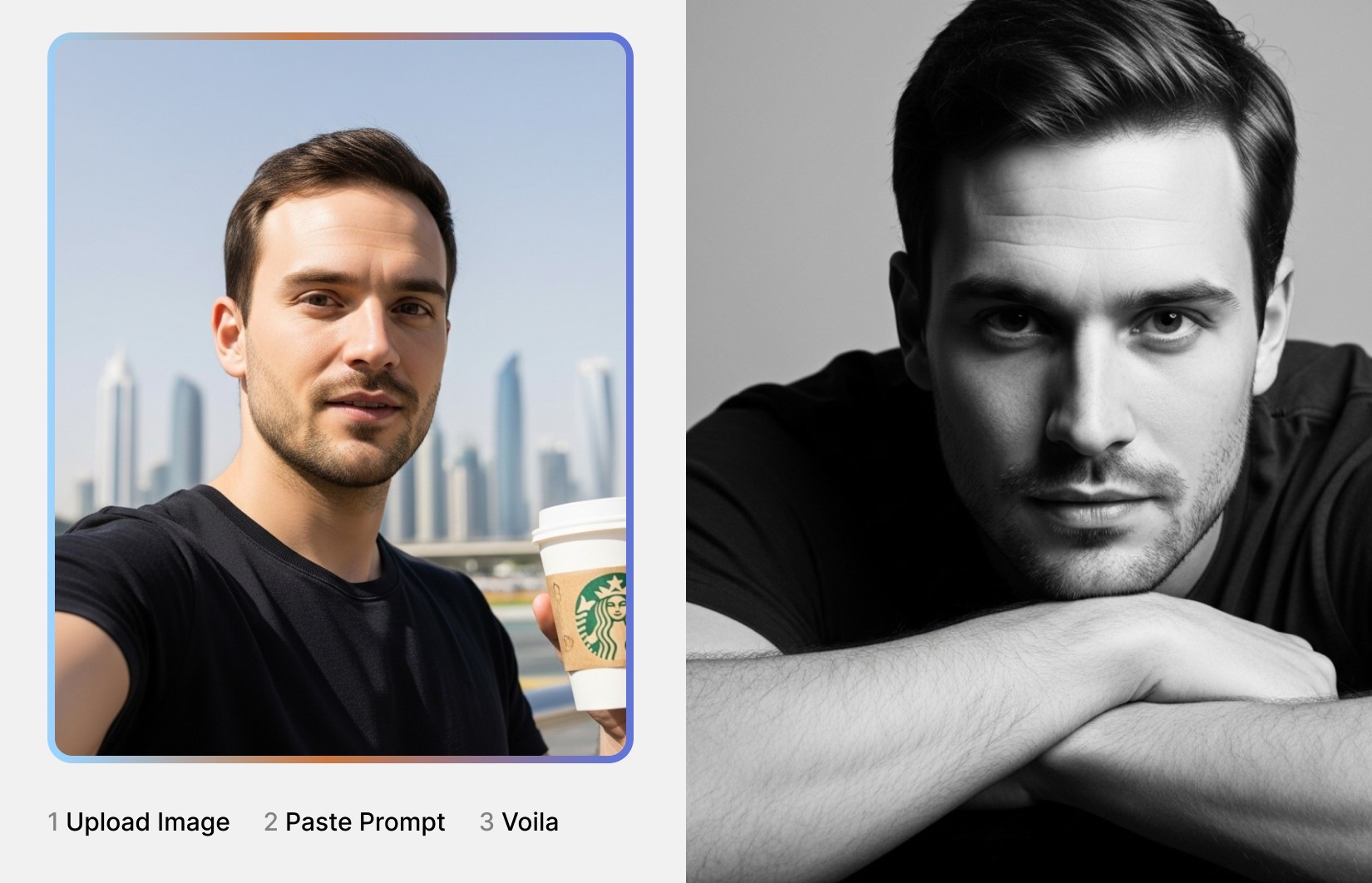
Step-by-Step: Upload Reference Photo & Generate
Step 1: Prepare Your Reference Photo
You need a clear reference photo so AI learns YOUR face. The style doesn't matter - prompts define the final look.
What makes a good reference photo:
✅ Clear face visible, front-facing or 45-degree angle
✅ Good lighting so AI can see your facial features clearly
✅ High resolution, not blurry
✅ Your face clearly visible (not covered by hands, hair, sunglasses)
✅ ANY outfit/setting works - casual selfie, vacation photo, party pic all fine
❌ Avoid: Blurry, very dark, face obscured, too far away
Important: Your reference can be a casual selfie! The AI only learns your facial structure. The PROMPTS below define professional style, outfit, background, and lighting.
Step 2: Upload Photo & Use Prompts
For Google ImageFX:
Go to imagefx.google.com
Upload your reference photo
Copy any prompt from below
Paste and generate
Download best results
For Google Gemini:
Go to gemini.google.com
Upload your reference photo
Type: "Create a professional LinkedIn headshot: [paste prompt]"
Generate and download
For ChatGPT:
Open chat.openai.com
Upload your reference photo
Copy prompt and send
Download results
For Midjourney:
Join Midjourney Discord
Type
/imagine+ upload referenceAdd prompt +
--style raw --ar 1:1Generate and upscale
For Higgsfield Soul:
Upload 15+ photos
Wait for AI training
Use any prompt below
Generate consistent results
Step 3: Test on LinkedIn
Upload 2-3 AI headshots
Monitor profile views 1-2 weeks
Track recruiter messages
Keep highest-performing photo
Common Mistakes to Avoid
❌ Not using reference photo - AI can't create "you" without seeing your face ❌ Blurry reference - Clear, well-lit reference = better likeness ❌ Face covered - Sunglasses/hands reduce accuracy ❌ Wrong aspect ratio - Use 1:1 square for LinkedIn ❌ Not testing - Test multiple options
Proven Prompt Formula
100 AI LinkedIn Headshot Prompts
Category 1: Modern Professional (20 Prompts)
1. Clean Modern Corporate
2. Confident Authority
3. Approachable Expert
4. Tech Professional
5. Creative Professional
6. Trustworthy Advisor
7. Ambitious Young Professional
8. Warm People Person
9. Analytical Thinker
10. Innovative Disruptor
11. Classic Professional
12. Dynamic Leader
13. Collaborative Team Player
14. Global Professional
15. Results-Driven Achiever
16. Thoughtful Strategist
17. Energetic Go-Getter
18. Sophisticated Executive
19. Down-to-Earth Expert
20. Future-Forward Innovator
Category 2: Industry Aesthetics (20 Prompts)
21. Finance Professional
22. Tech Startup
23. Creative Agency
24. Healthcare Professional
25. Legal Services
26. Education Academic
27. Real Estate
28. Consulting
29. Sales Business Development
30. Marketing Brand
31. Engineering
32. Hospitality Travel
33. Non-Profit Social Impact
34. Media Journalism
35. Retail E-commerce
36. Manufacturing Industrial
37. Architecture Design
38. Financial Technology
39. Customer Success
40. Executive Leadership
Category 3: Personality & Vibe (20 Prompts)
41. Confident Bold
42. Friendly Approachable
43. Serious Focused
44. Creative Artistic
45. Relaxed Authentic
46. Ambitious Driven
47. Wise Experienced
48. Young Fresh
49. Polished Put-Together
50. Casual Cool
51. Warm Caring
52. Sharp Strategic
53. Fun Energetic
54. Calm Composed
55. Powerful Executive
56. Humble Grounded
57. Charismatic Magnetic
58. Intellectual Thoughtful
59. Action-Oriented Dynamic
60. Elegant Refined
Category 4: Background Settings (20 Prompts)
61. Modern Glass Office
62. City Skyline
63. Neutral Gray
64. Bookshelf Library
65. Outdoor Corporate Campus
66. Home Office
67. Co-Working Space
68. Minimalist Clean
69. Warm Wood Office
70. Tech Lab Studio
71. Conference Room
72. Reception Lobby
73. Industrial Facility
74. Cafe Creative Space
75. Hotel Hospitality
76. Executive Corner Office
77. Open Plan Collaborative
78. Private Office Traditional
79. Rooftop Urban
80. Studio Professional
Category 5: Expression & Emotion (20 Prompts)
81. Confident Smile
82. Friendly Approachable
83. Serious Professional
84. Thoughtful Contemplative
85. Determined Focused
86. Gentle Kind
87. Energetic Enthusiastic
88. Calm Composed
89. Wise Experienced
90. Authentic Real
91. Ambitious Hungry
92. Trustworthy Reliable
93. Creative Visionary
94. Powerful Commanding
95. Balanced Professional
96. Optimistic Positive
97. Strategic Visionary
98. Collaborative Partner
99. Innovative Pioneer
100. Complete Professional
Frequently Asked Questions
Q: Do AI LinkedIn headshots actually help land job offers? A: Yes. Professional LinkedIn photos increase profile views by 14x and recruiter contact by 9x. AI headshots work when they look professional, authentic, and appropriate for your industry.
Q: Can recruiters tell if my LinkedIn photo is AI-generated? A: High-quality AI headshots with proper reference photos are difficult to distinguish from professional photography. Avoid obvious AI artifacts by using realistic prompts.
Q: Which AI tool creates the most realistic LinkedIn headshots? A: All five recommended tools produce excellent results. Google ImageFX and Gemini (free) match paid tools in quality. Higgsfield Soul provides most consistent likeness.
Q: How many AI headshots should I generate before choosing one? A: Generate 20-30 variations, narrow to best 10, test top 3-5 on LinkedIn. Monitor profile views for 1-2 weeks. Keep highest-performing photo.
Q: Should I disclose my LinkedIn photo is AI-generated? A: LinkedIn has no disclosure requirement. Photo should accurately represent how you currently look. Focus on authenticity over disclosure.
Q: What if the AI headshot doesn't look like me? A: Use clearer reference photo (front-facing, well-lit, high-res). Try different tools - Higgsfield Soul best for facial likeness with 15+ reference photos.
Q: Can I use casual selfies as reference photos? A: Yes! Reference photo only teaches AI your facial structure. The prompts define professional style, outfit, background, lighting.
Q: How often should I update my LinkedIn headshot? A: Update annually or when appearance changes significantly. Fresh headshot signals active profile.
Q: What LinkedIn photo style gets most recruiter attention? A: Modern professional style (prompts 1-20) performs best across industries. Approachable confidence beats overly formal or casual.
Q: Do I need different headshots for different job applications? A: One excellent LinkedIn headshot works for most applications. Consider industry-specific versions if applying across very different sectors.
Conclusion
AI LinkedIn headshots work when you use quality reference photos, proven style prompts, and appropriate professional aesthetics. These 100 prompts cover modern professional styles, industry-specific looks, personality vibes, and emotional expressions that attract recruiters and land job offers.
Quick Start:
Upload clear reference photo (any style - AI learns your face)
Start with Google ImageFX or Gemini (free)
Use Modern Professional prompts (1-20) for versatile options
Generate 20-30 variations, select best 3-5
Test on LinkedIn, track profile views
Keep highest-performing headshot
Key Takeaways:
Reference photos can be casual - prompts define professional output
Free tools (Google) match paid options in quality
Test multiple styles to find what works for your industry
Profile views and recruiter messages indicate success
Update annually to stay current
Continue Reading:
Tinder Profile Picture Prompts: 120 AI Photos That Get Super Likes - Dating profile AI photos
AI Professional Headshots: 100 LinkedIn Profile Picture Prompts - Additional professional headshot prompts
Instagram Profile Photos AI Prompts - Social media profile optimization
Best AI Headshot Generators 2026 - Tool comparison and reviews
AI Portrait Troubleshooting Guide - Fix common AI photo issues


